

VeckaOperators' portal
Vecka operators' portal
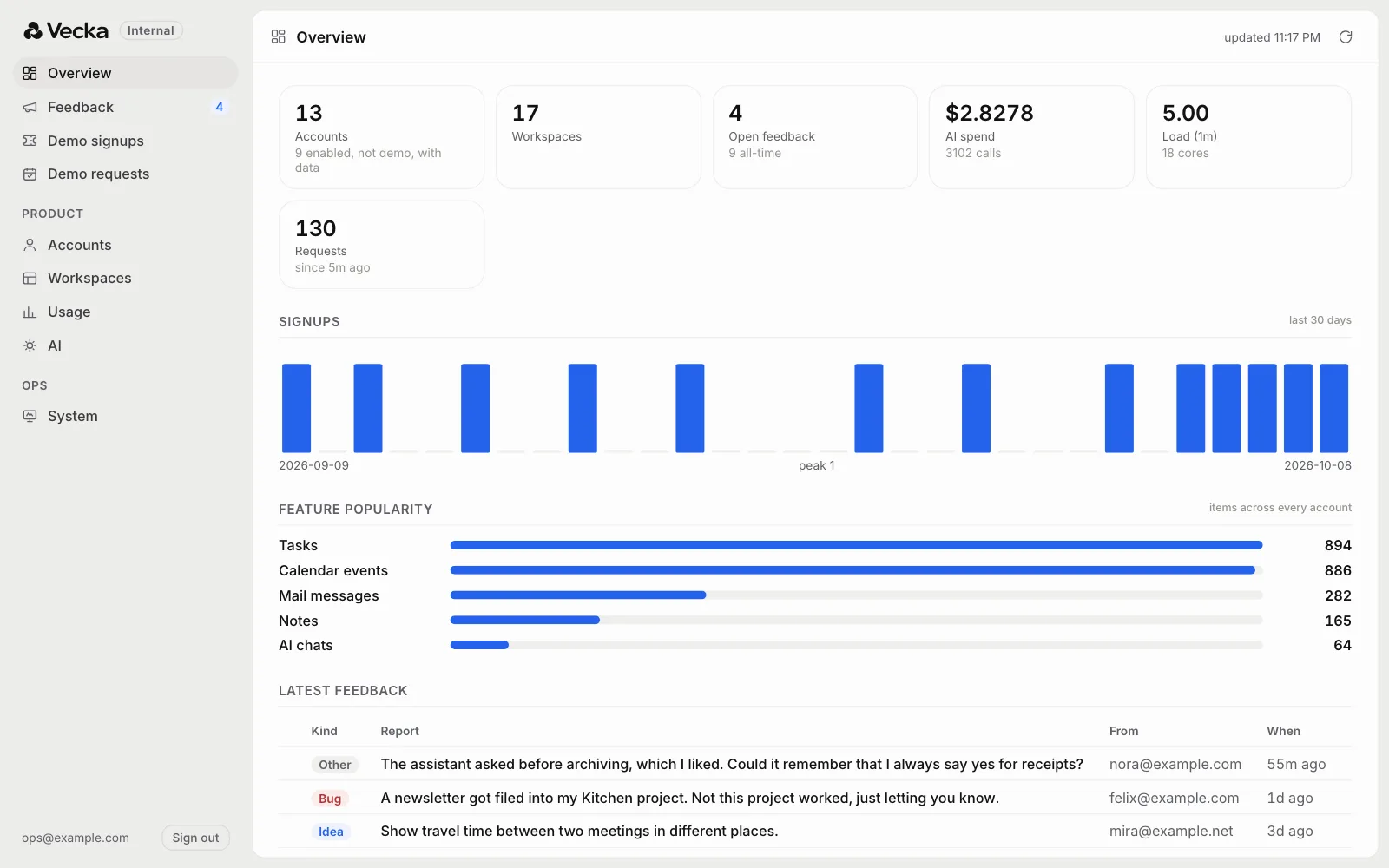
The back room of Vecka. Feedback, accounts, usage and AI spend in one place, built so it can never see what people write.
As more people used Vecka, the same two questions came up every day. What are people running into, and how is the product actually being used. Reports came in through a Feedback button inside the app and needed somewhere to land. The cost of every AI request was reported by the provider and then thrown away.
We wanted one place for all of it, with one hard rule from the start. Whoever runs Vecka should never be able to read anyone's tasks, notes, mail or chats, not even by accident.
At the end of August we opened internal.vecka.ai, the operators' portal. It has grown to nine views since, and the rule has held the whole way.
- 9
- views in one rail
- 0
- lines of anyone's content
- 6
- screenshots per report
- 60s
- between refreshes
What we built
- A feedback inbox with status, kinds, search and notes
- Reports that carry what is needed to reproduce a bug
- Accounts and workspaces, shown as counts and sizes only
- Usage across every app, with demo accounts kept apart
- AI spend by provider, feature, model, account and day
- Ledgers of who tried the demo and who booked one
- The health of the server at a glance
- Its own sign in, for operators only
- A test that proves no content can escape
The rule, built into the server
The privacy line is drawn in the code that answers the portal, not in its screens. Every answer is built from counts, sizes, dates and who an account belongs to. No path through it returns a task title, a note, an email or a chat message, so no screen can show one.
We prove it with a test. It fills a sample store with one recognisable secret phrase in every document, then reads every answer the portal can give and fails if the phrase turns up anywhere.
The same rule makes the portal safe for scripts. They get a token of their own that opens the feedback and portal data and nothing else in Vecka.
Click through it
 Click through the views
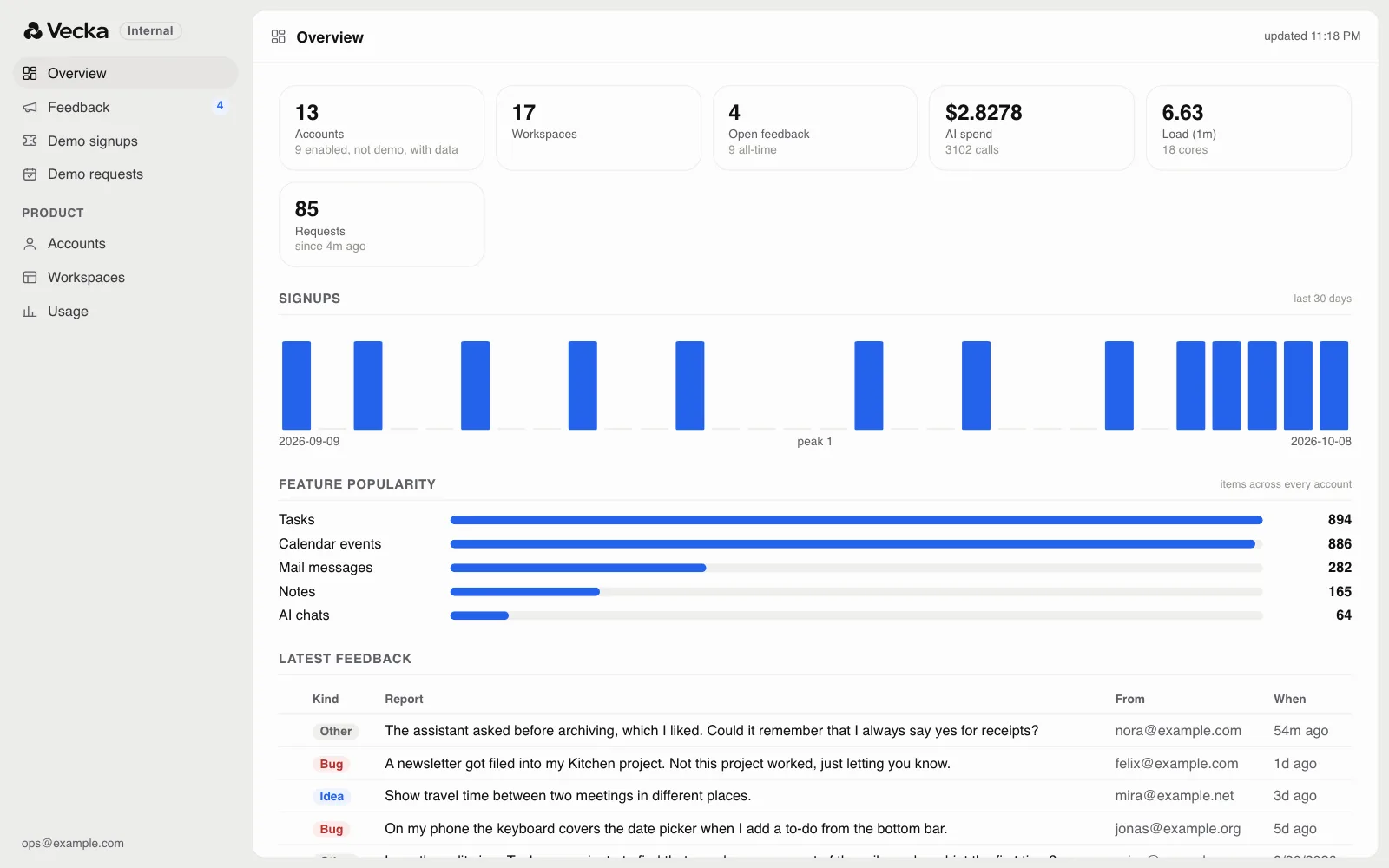
This is the portal's own page, styles and script, answering from a snapshot of sample data instead of a server. Everyone in it is invented. It walks through the views on its own until you click.
Feedback, from button to fix
Anyone using Vecka can press Feedback, say what happened, mark it as a bug, an idea or something else, and attach up to six screenshots. The report quietly carries what is needed to reproduce it. The page it came from, the screen size, language and time zone, the connection, the last eight places the person went in the app and the last ten errors the browser saw.
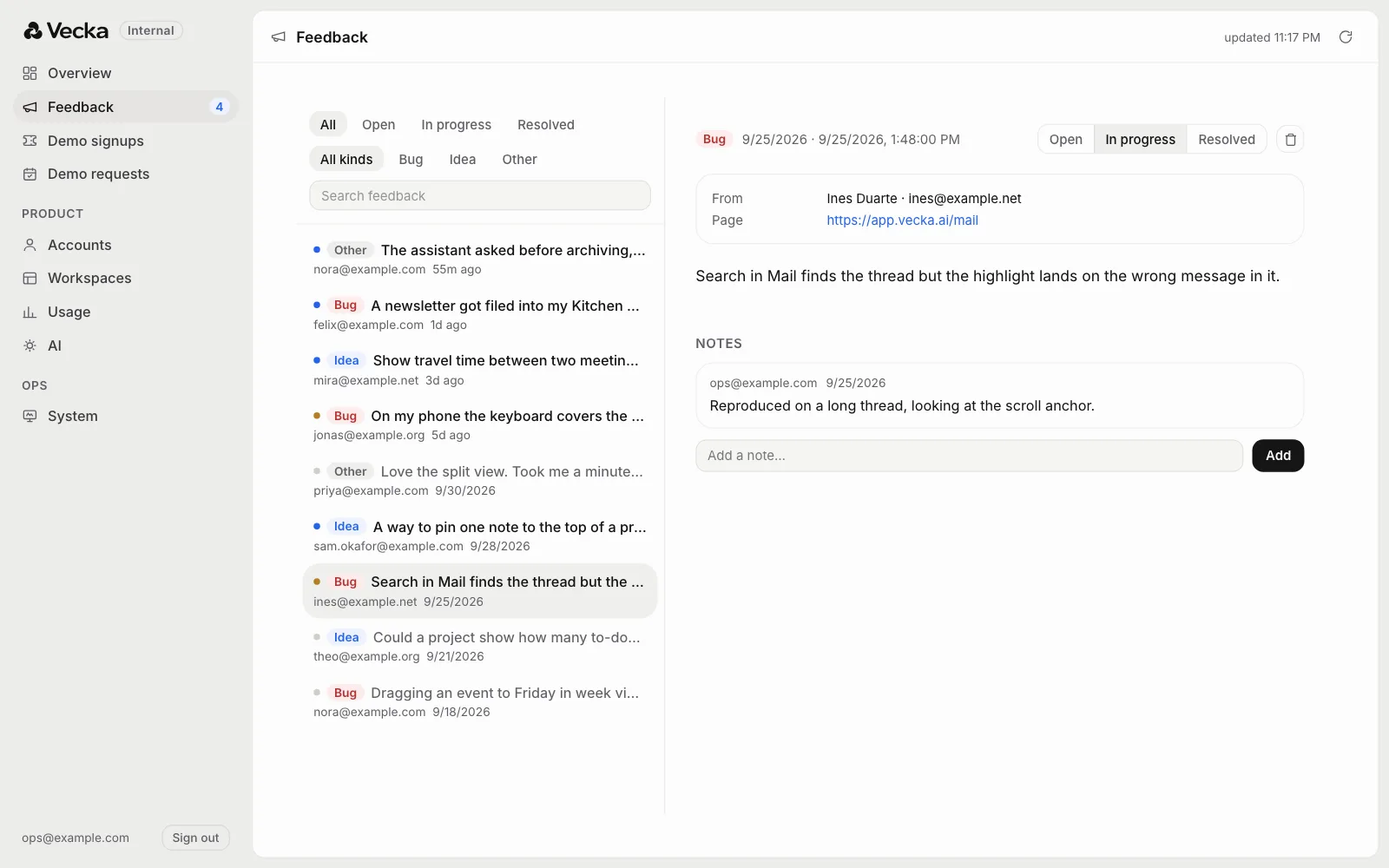
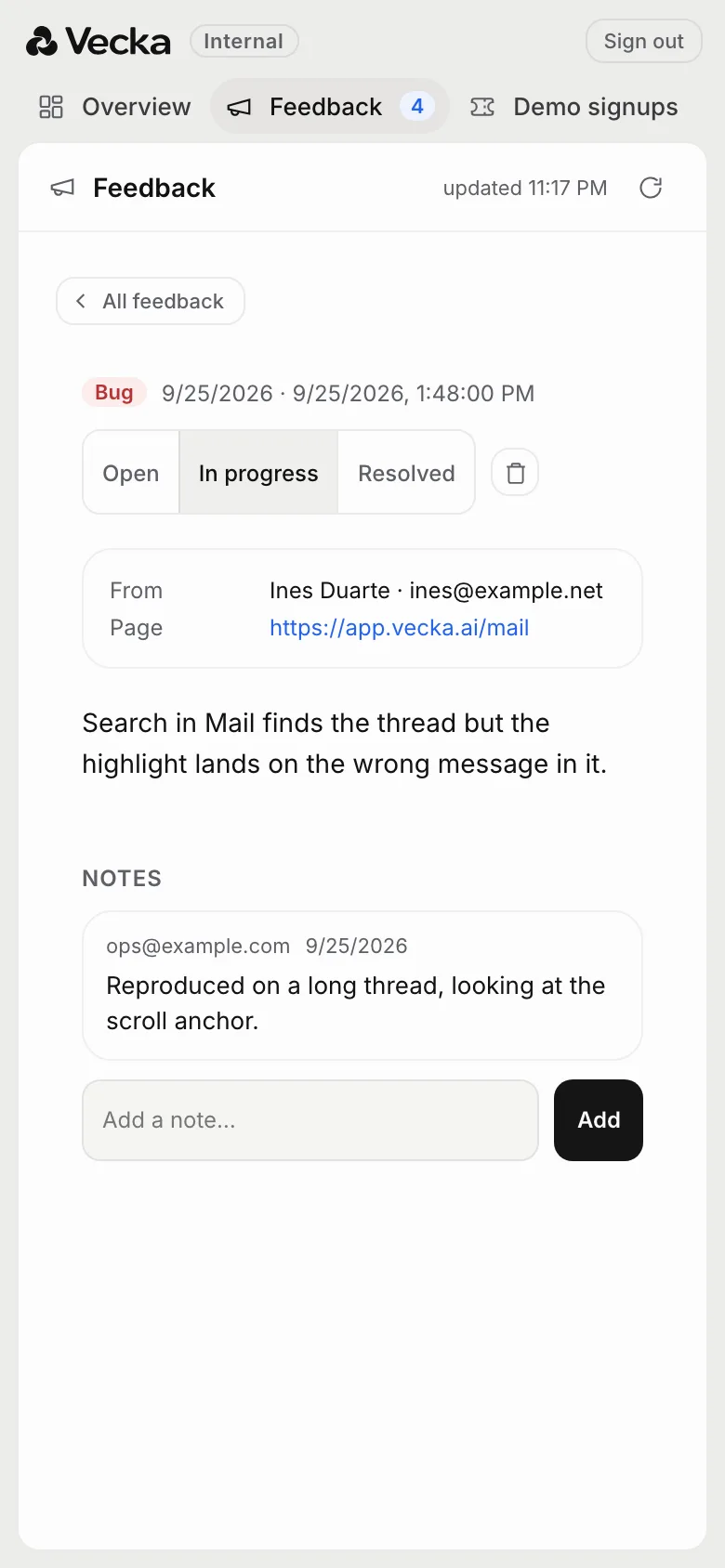
In the portal, reports sit in one list with filters for status and kind and a search. Opening one shows the words, the screenshots, who sent it and from which page. Operators move it from open to in progress to resolved and leave notes for each other. The person who sent it can follow the status of their own reports inside Vecka, without ever seeing the notes.
A limit of 30 reports per account per day keeps a stuck loop from flooding the inbox without getting in a real person's way.
Accounts and workspaces
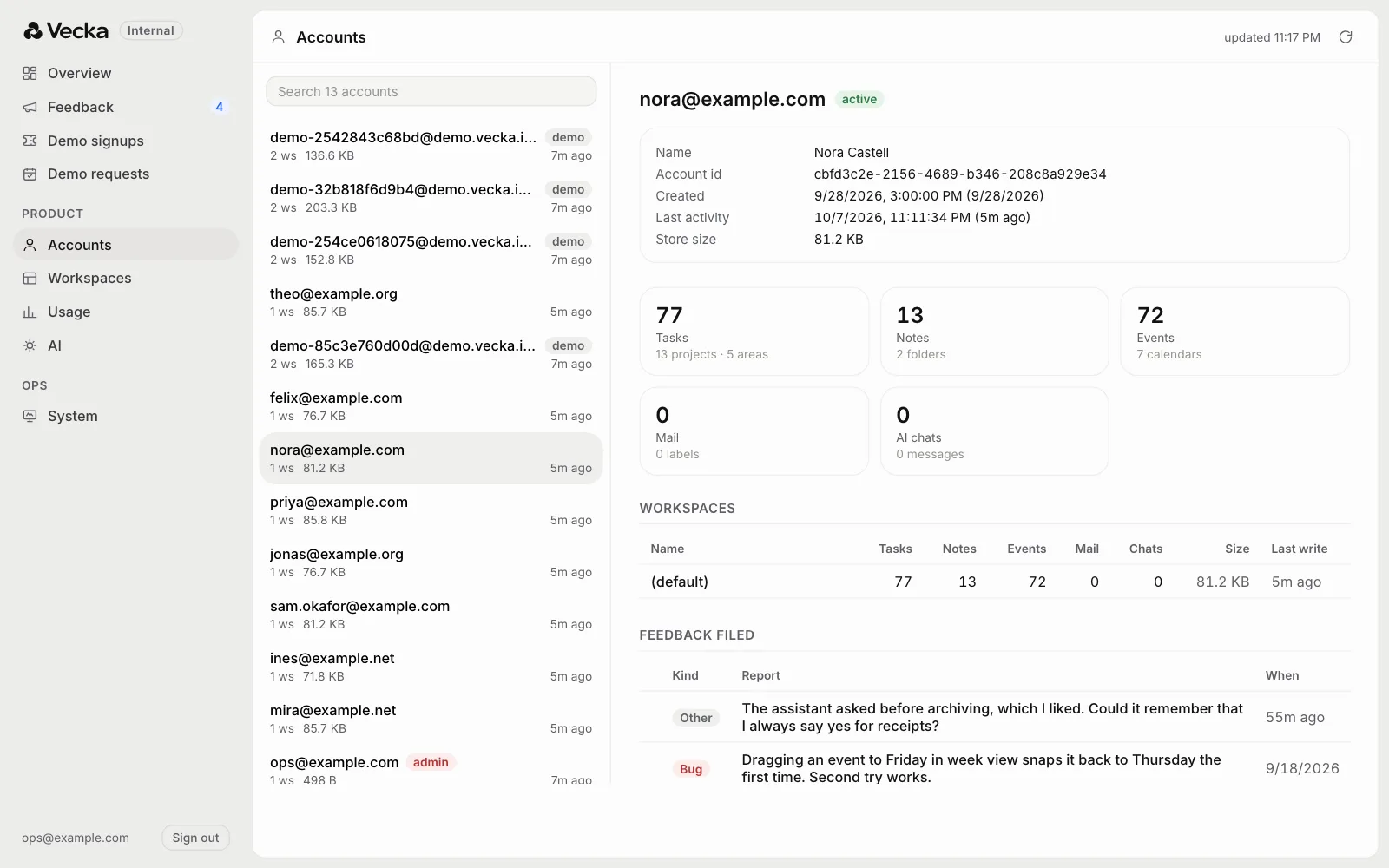
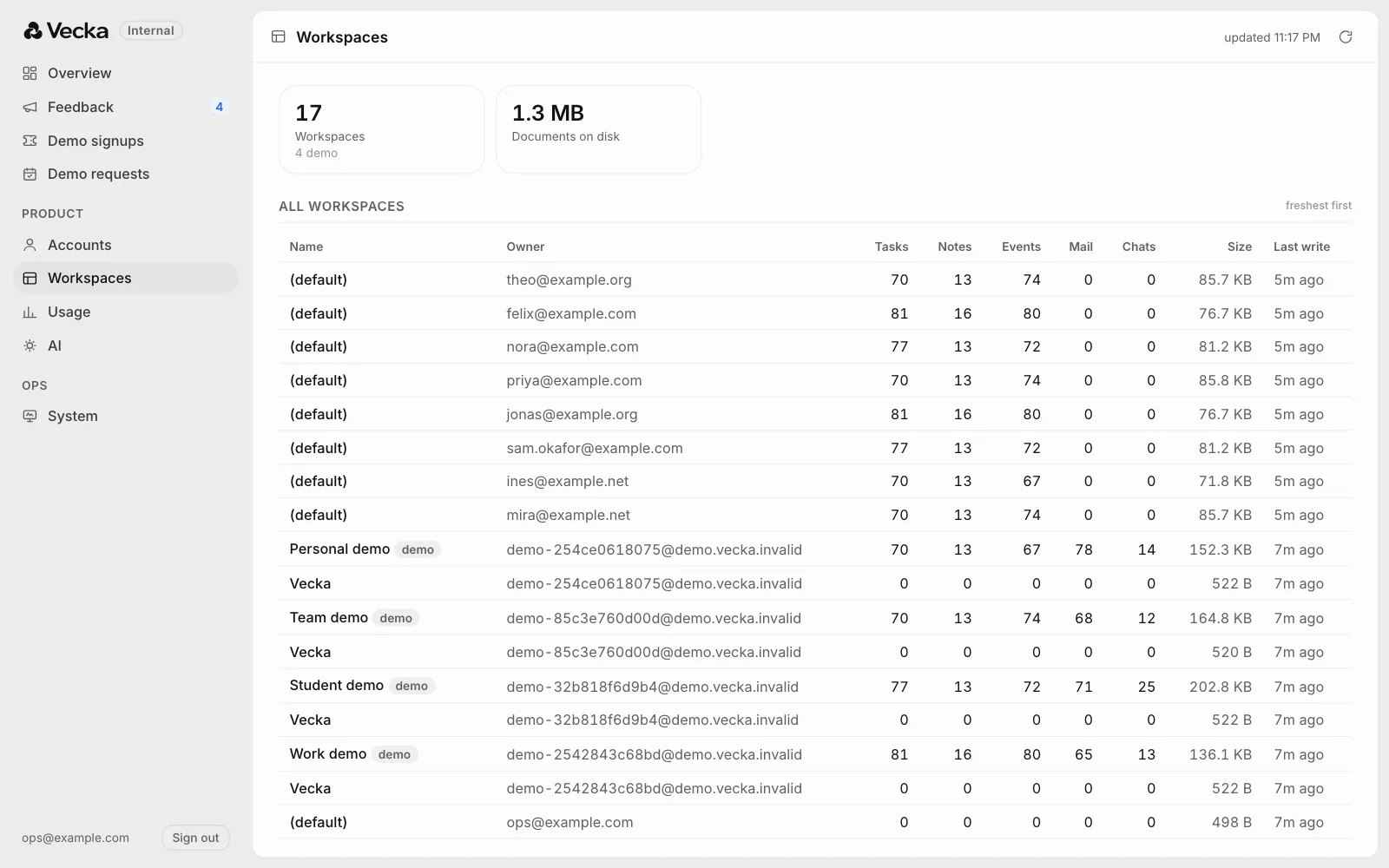
Accounts lists everyone with their workspaces, how much they store and when they were last active. Opening one shows how many tasks, notes, events, emails and chats it holds, its workspaces and any feedback it filed. You can see how many tasks someone has, never what they say.
Usage, honestly counted
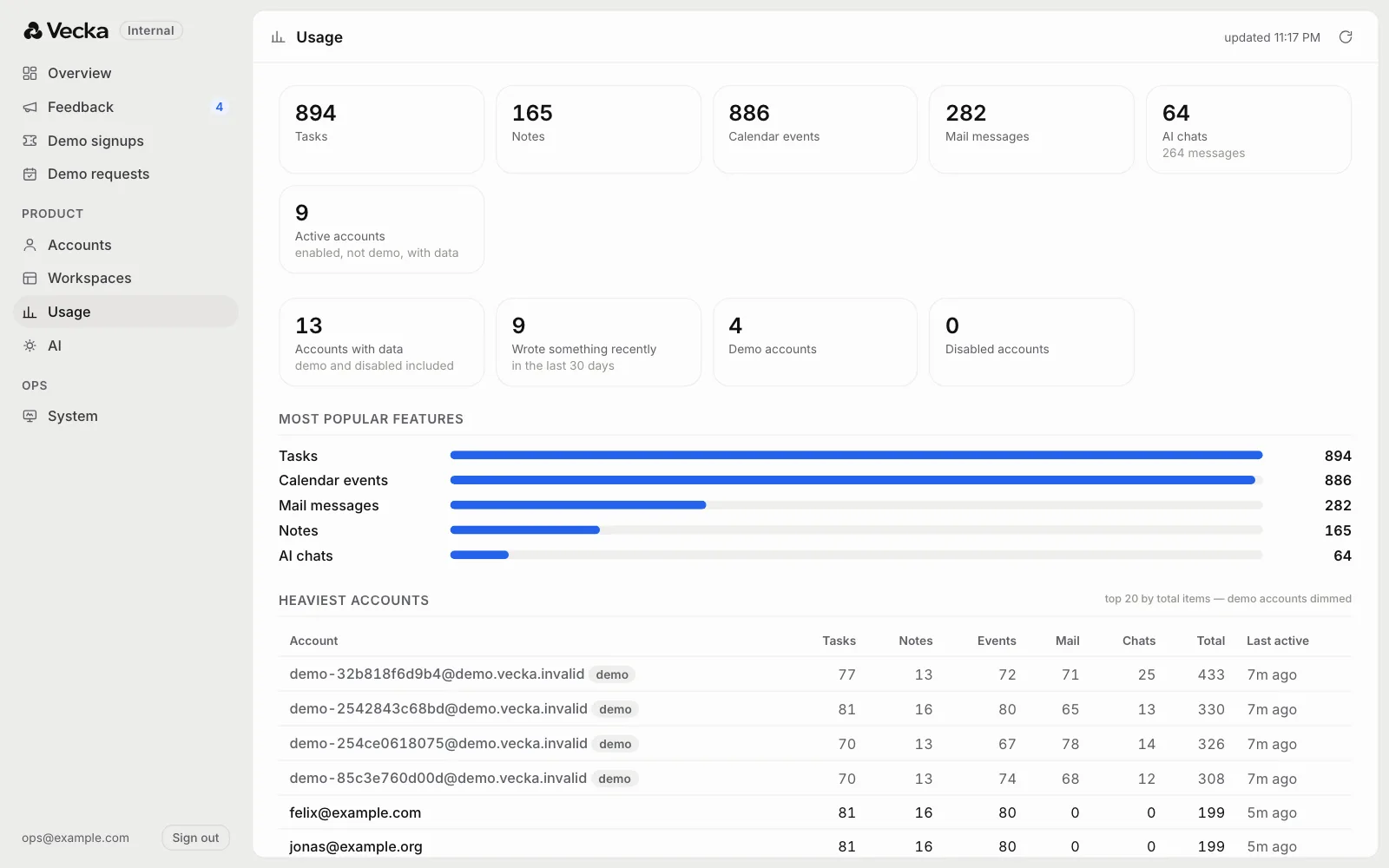
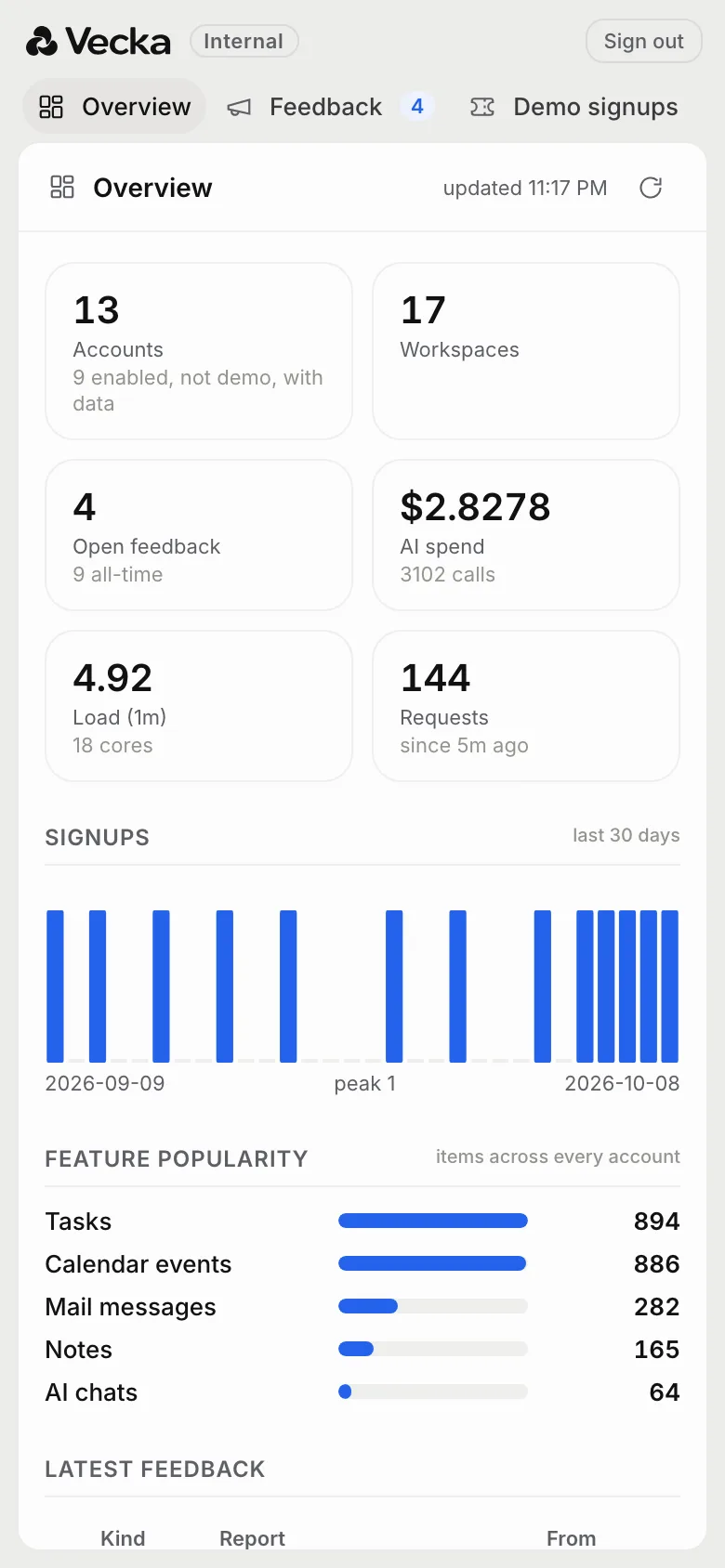
Usage shows how much of each app is used across every account, the heaviest accounts, and how many are really active. Demo accounts are counted on their own and dimmed in the tables, so the public demo never props up the numbers.
We were strict about what each number means. Active used to mean any account holding records, which quietly counted test accounts and demos. Now it means enabled, not a demo and holding records, and the overview shows the other totals beside it so the gap is explained rather than guessed.
What the AI costs
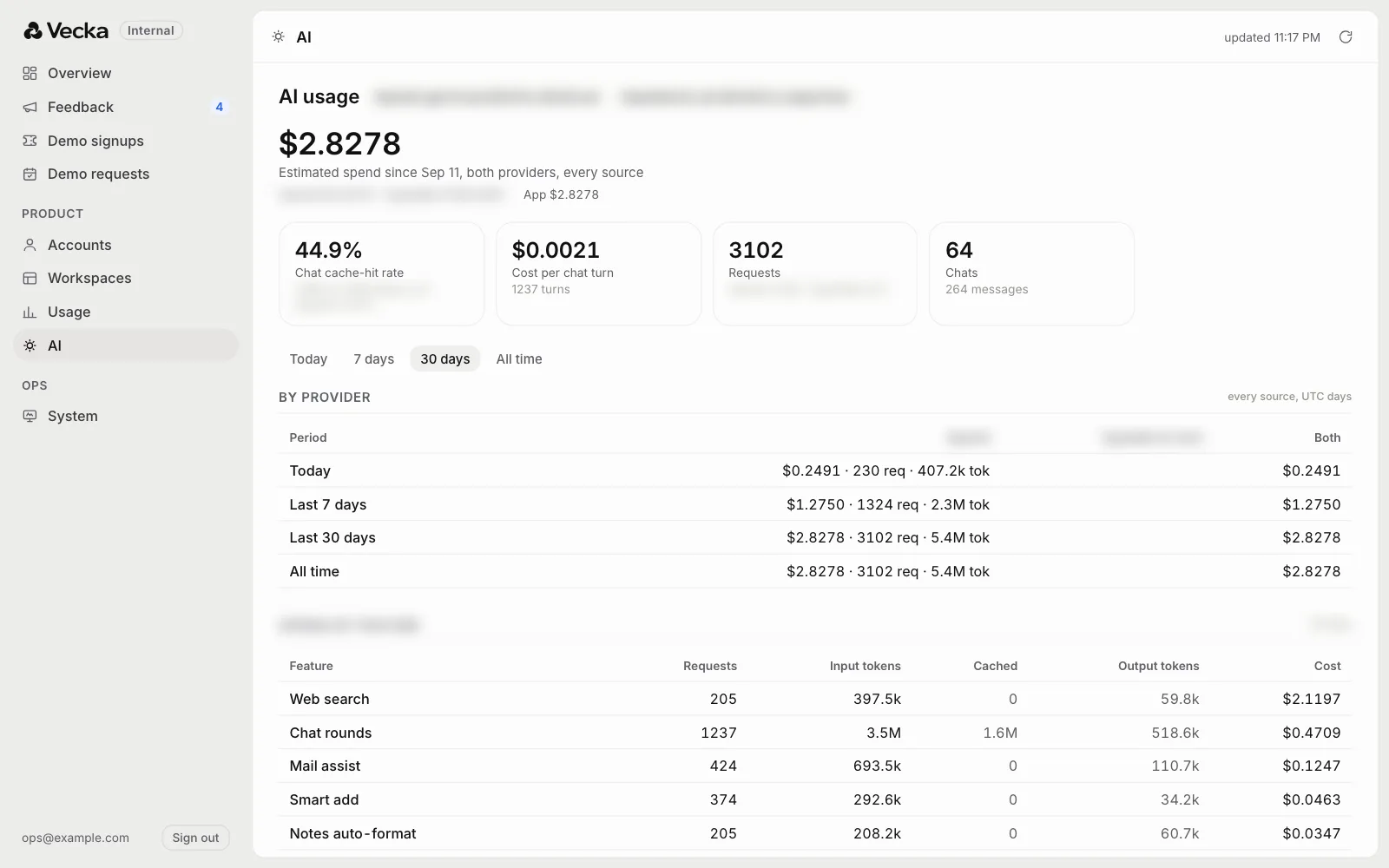
Every AI request now adds one line to a ledger, with the feature, the model, the account, the time and the tokens used, and never the words that were sent.
The AI view adds the ledgers from the live app, from staging and from offline tools into one estimate, priced at each model's published rate, and breaks it down by provider, feature, model, account and day. It is labelled an estimate on purpose, because the invoices are the final word.
The demo, watched live
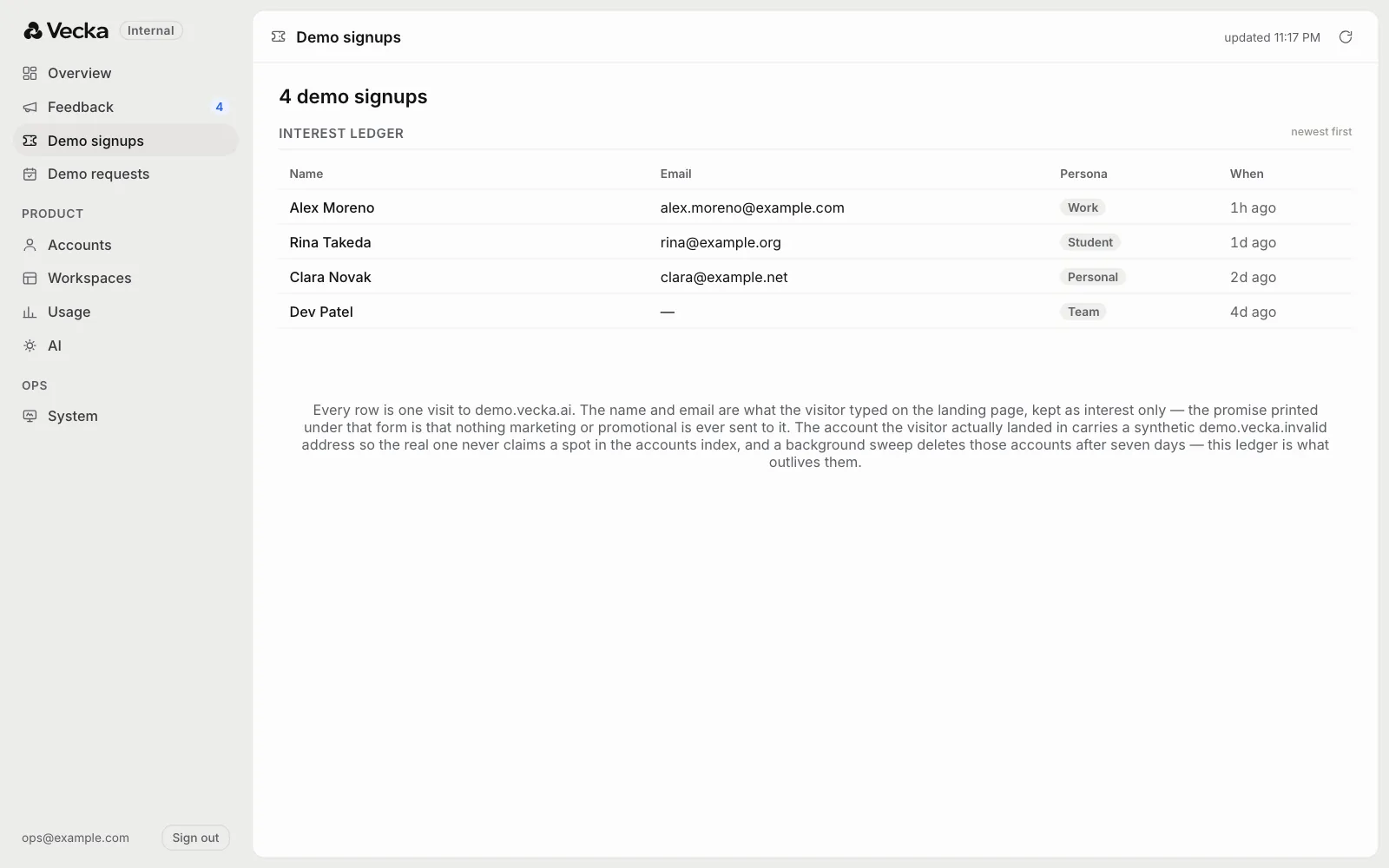
Anyone can try Vecka at demo.vecka.ai as one of four invented people. The visitor's name and email go to a small interest ledger and nowhere else, and the account they land in is swept after seven days.
Demo signups is that ledger, newest first, and it refreshes on its own so it can be watched during a demo day. Demo requests, booked from the website, sit right beside it.
Its own front door
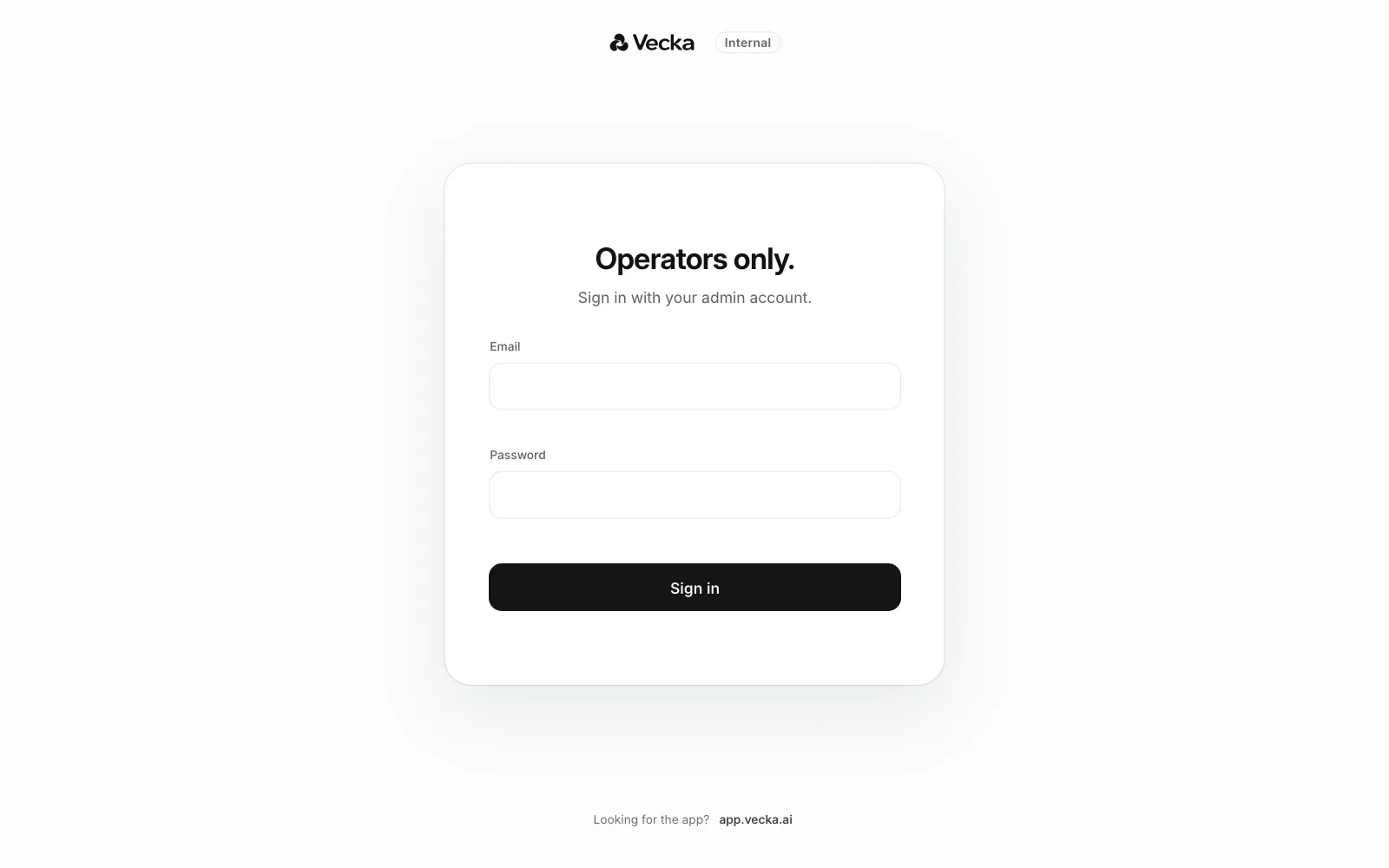
The portal lives at its own address with its own sign in. Only operator accounts get through, and every answer behind it is checked again on the server, so an account that is not an operator meets a closed door.
It wears Vecka's own design, the same gray ground, bare rail and floating card as the app, so it feels like part of the product rather than an admin page bolted on. On a phone the rail becomes a row of tabs.
Calm by design
Glance views like the overview refresh every minute and swap in the new numbers only once they have arrived, so the screen never blanks while someone reads it. Views you work in, like an open account, never refresh on their own, because a timer that wipes what you are reading is worse than a number a minute old.
What is next
Waitlist sign ups are next. Today they are kept but not shown, and they belong in the portal beside the demo signups and demo requests.