

Magic Box LAEditor
Magic Box LA editor
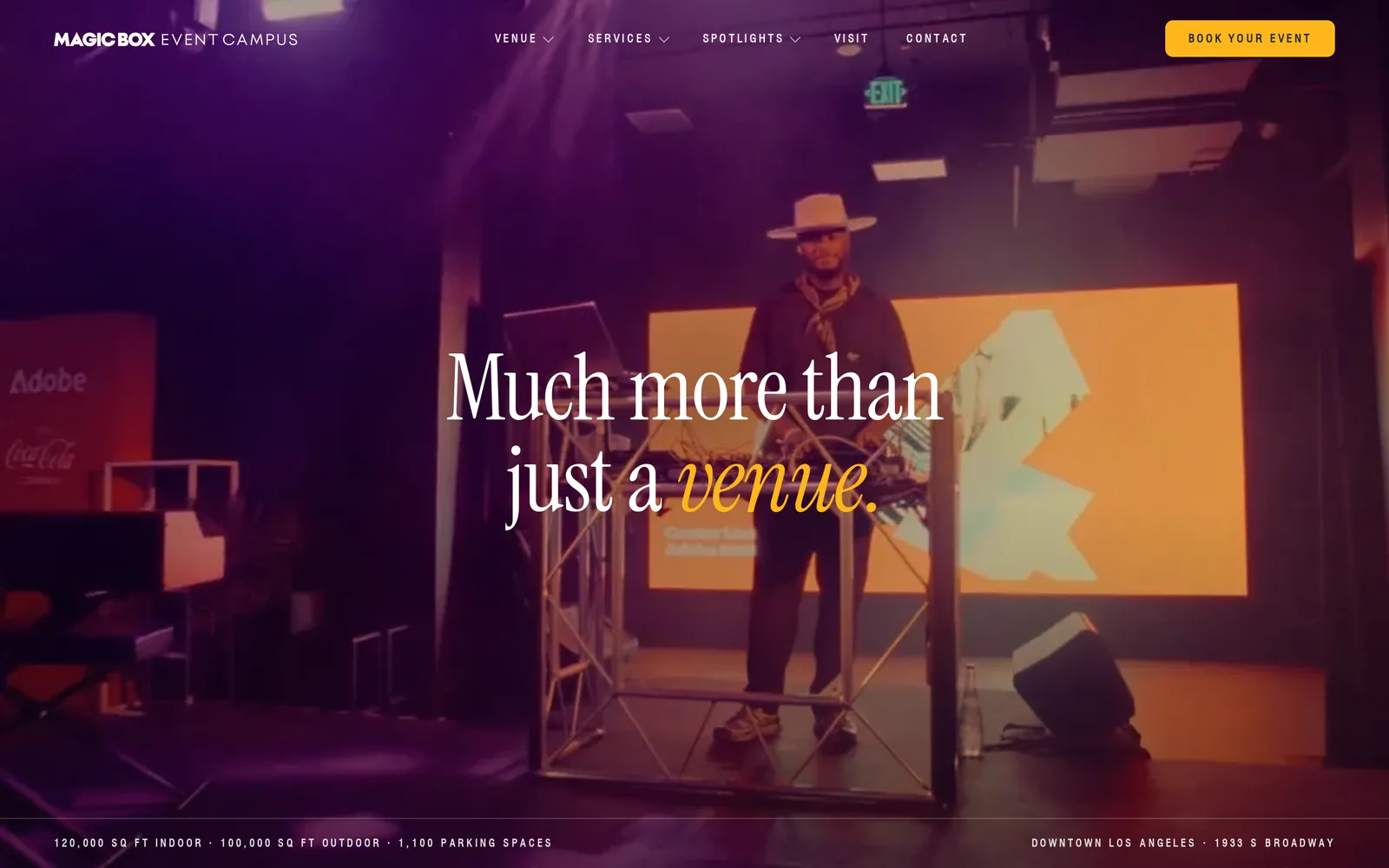
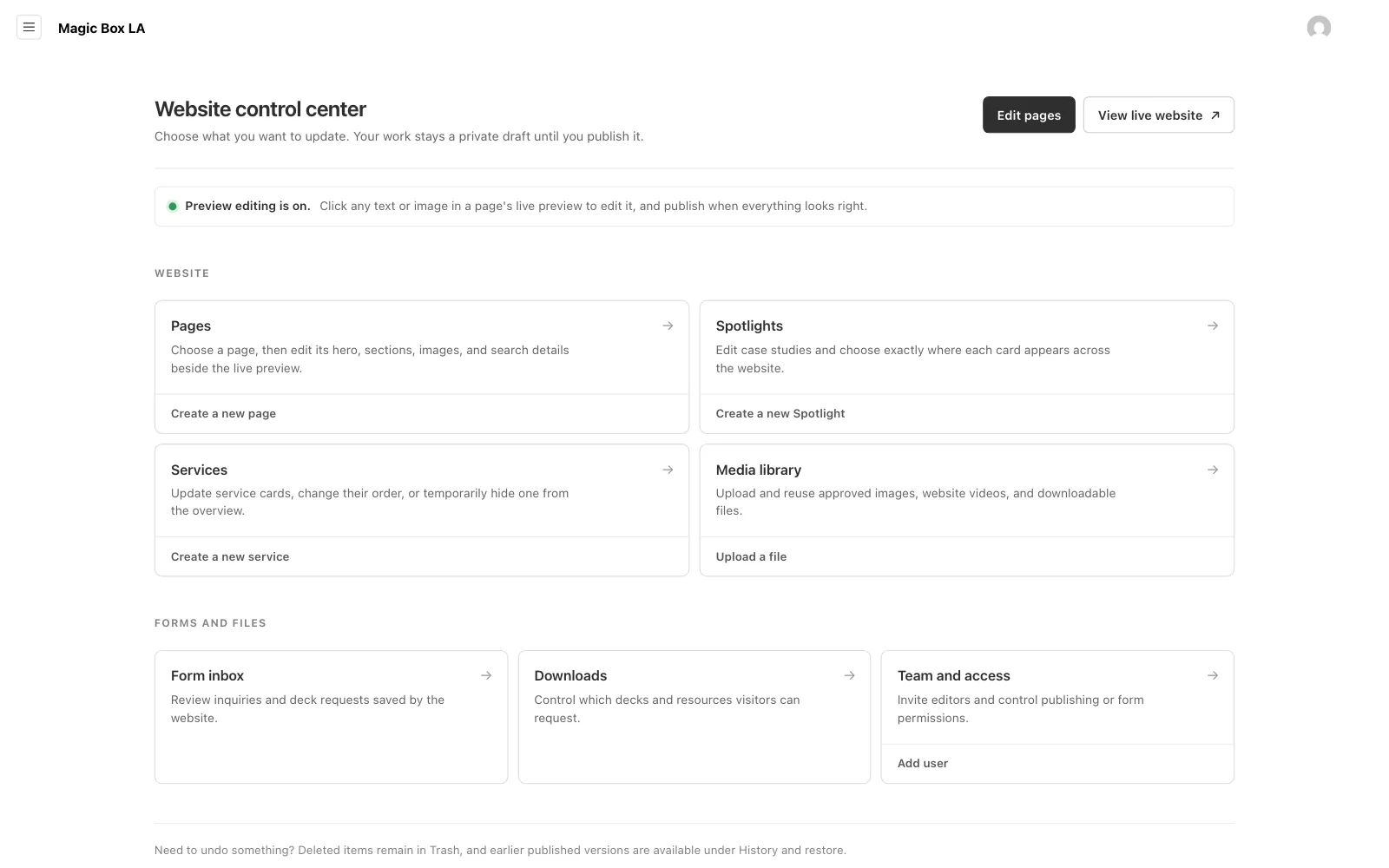
The editor behind magicboxla.com. The team clicks the real page, changes it and publishes, and the approved design stays the default.
We rebuilt magicboxla.com by hand, page by page, from their brand book. That made it fast and exact. It also meant every new photo or changed sentence had to come through us, and Magic Box wanted to run their own site.
Wayne's list was specific. Swap the hero photos, change the words, manage the services, write a new spotlight and choose where it shows up, preview all of it, publish safely, roll back mistakes, and keep a copy of every form that comes in. And it had to belong to Magic Box, running on a server they control rather than on someone else's platform.
So in August we built an editor and put it underneath the whole site. Today the team edits the real page in place, and the design they approved is still what shows wherever they leave things alone.
- 1,267
- editable spots
- 30
- versions kept per page
- 3
- roles
- 1
- folder holds all their data
What we built
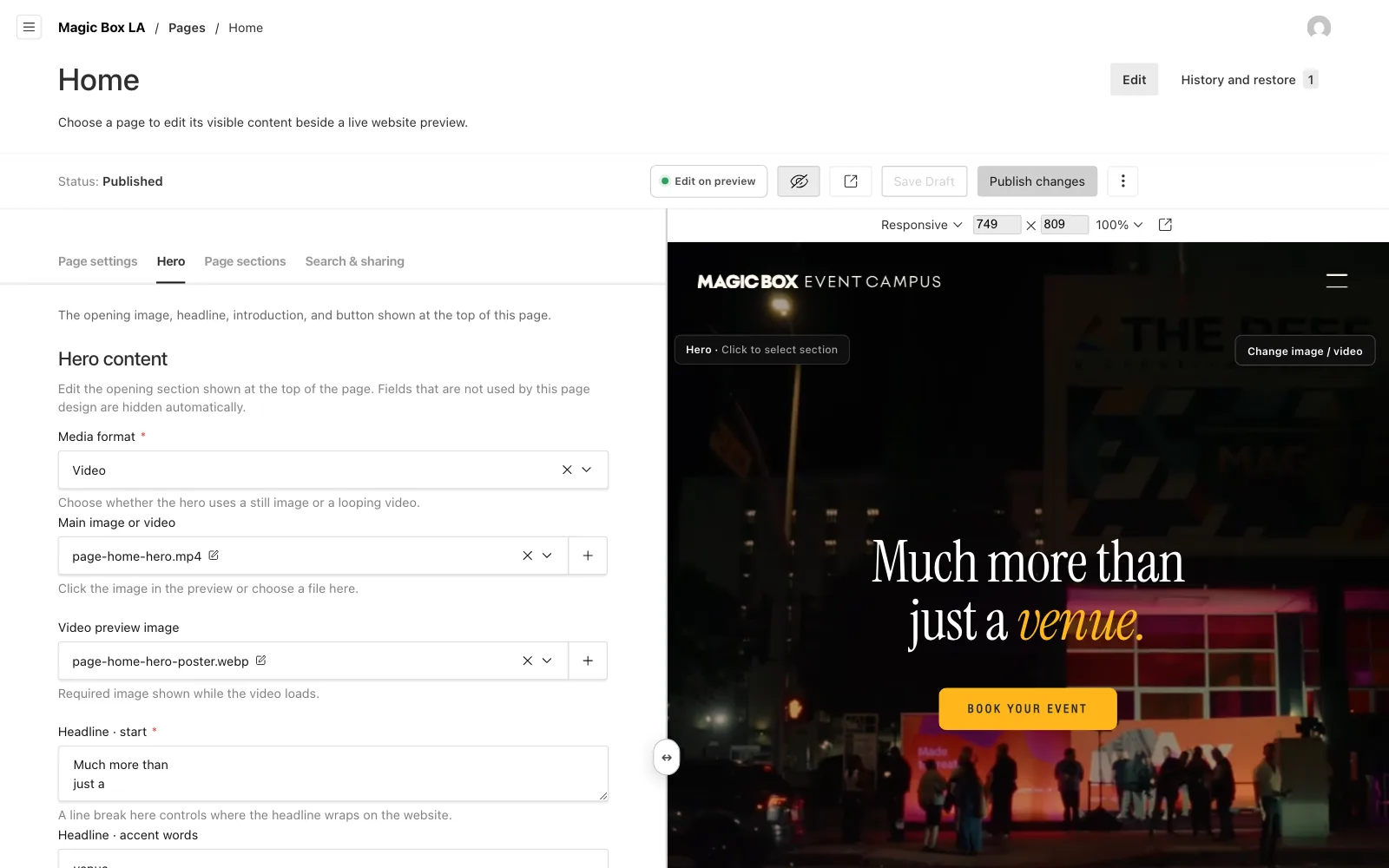
- An editor that shows the real page beside its fields
- Click to select and type on the page itself
- A photo picker that suggests what fits each spot
- Drafts that save themselves, and a clear publish step
- History, side by side comparison and one click restore
- Spotlights placed exactly where the team wants them
- Checks that stop a broken page before it publishes
- A Form Inbox that keeps every lead on their server
- Roles for owners, editors and the sales inbox
- A parity check that gates every release
Choosing how to build it
Going back to a site builder was the obvious option, and we looked at it closely. It meant porting the whole site a second time, and the venue explorer, the homepage motion and the CRM forms would still have needed custom code. It would also have opened up the layout far more than the team needed, which is how a design slowly drifts.
We built on Payload, an open source CMS that runs inside a Next.js app, and wrote the Magic Box editing experience on top of it. Payload gives us sign in, roles, drafts and versions to build on. Everything specific to Magic Box, how a page is edited and what can change, is our own code.
It is self hosted by design. The site, the editor and every form run as one app on Magic Box's own server. Their content, photos and leads sit in one folder they own, and a backup command pauses the app, checks the database and packs that folder into a single archive.
The design stays the default
The approved site already existed as hand built pages, so the editor serves those same pages and fills in the editable spots as each one is requested. A field left empty falls back to the approved design. Nobody has to fill anything in for the site to look finished, and clearing a field never leaves a hole.
Layouts, motion and the venue floor plans stay locked in code. Words, photos, videos and the order of things are open. That line is what keeps everyday edits from breaking the design.
Edit the real page
Every page opens beside a live preview of itself. Click any headline, paragraph or photo in the preview and the matching field opens. Double click words to type straight onto the page, and the change appears as you type, without the preview reloading.
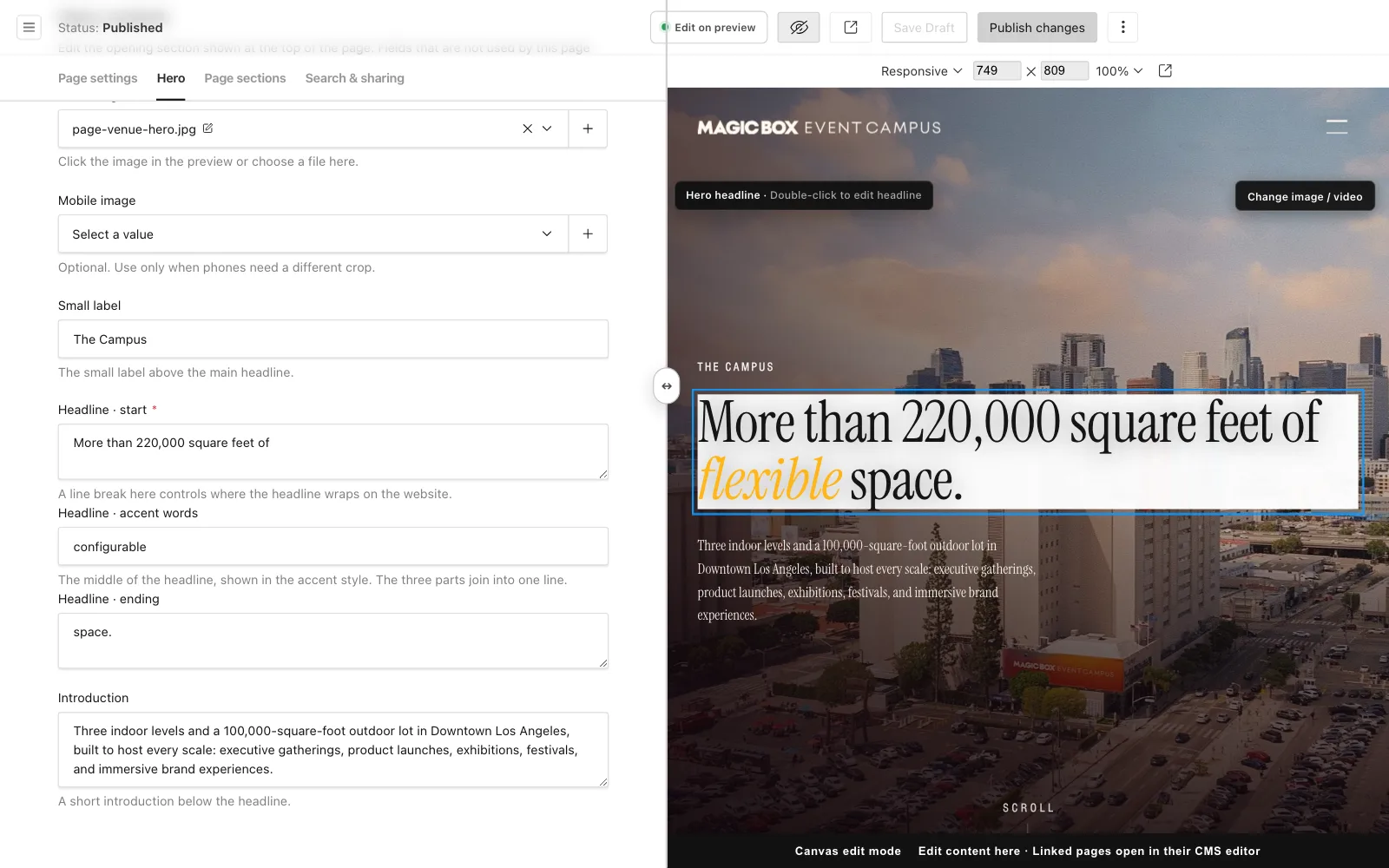
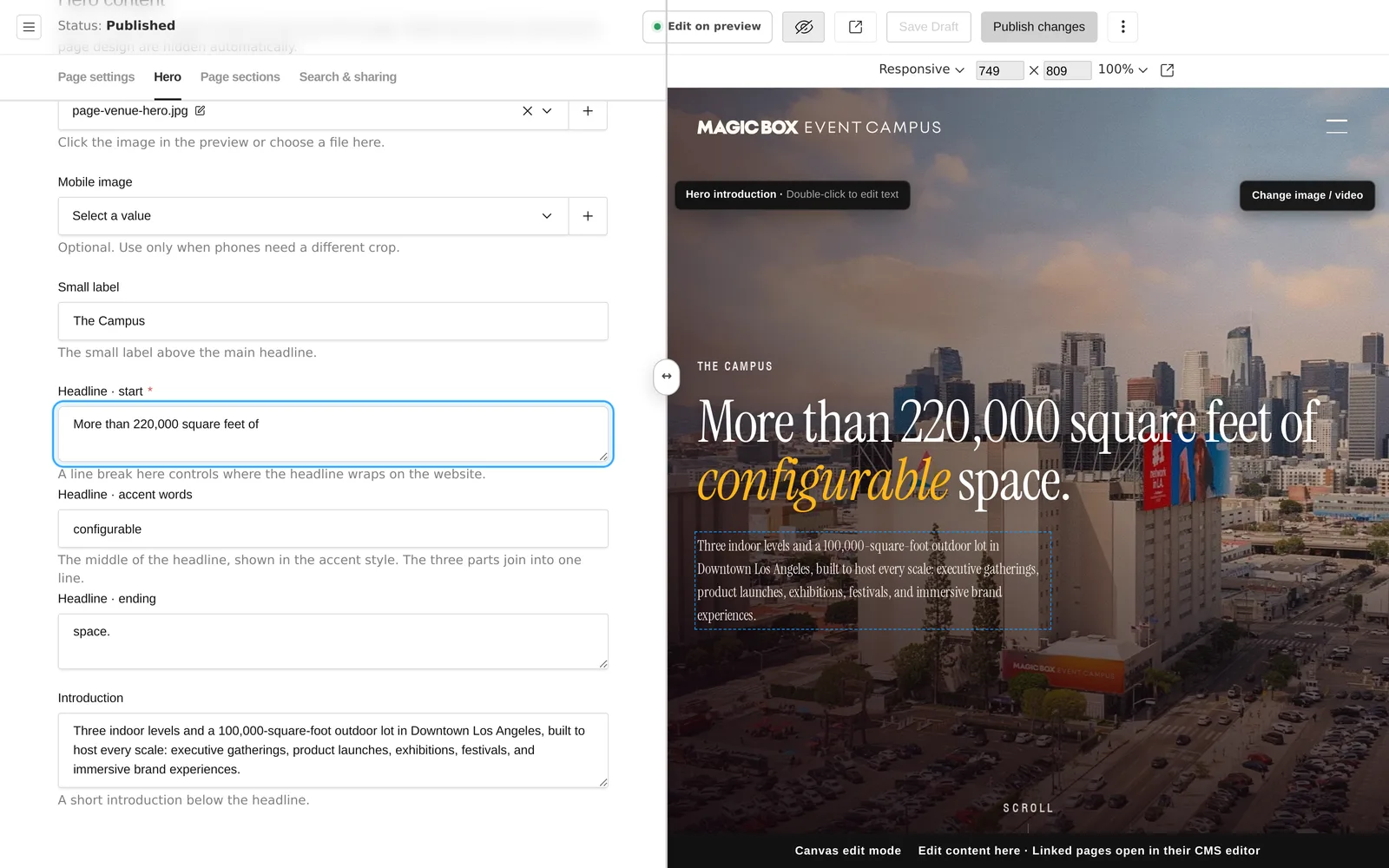
At first only the hero and one introduction per page could be edited, 310 spots across the site. Later in August we taught the editor to find every piece of visible text and every image on every page by itself, and now 1,267 spots can be changed. Each edit remembers the wording it replaced, so if the design is revised later, an old edit lets go instead of hiding the new copy.
The small things got the same care. Headlines keep their line breaks and their accent word. Labels styled in capitals are saved in normal case. A single click explains what it selected and never jumps to another page, a double click does.
Photos from a picker
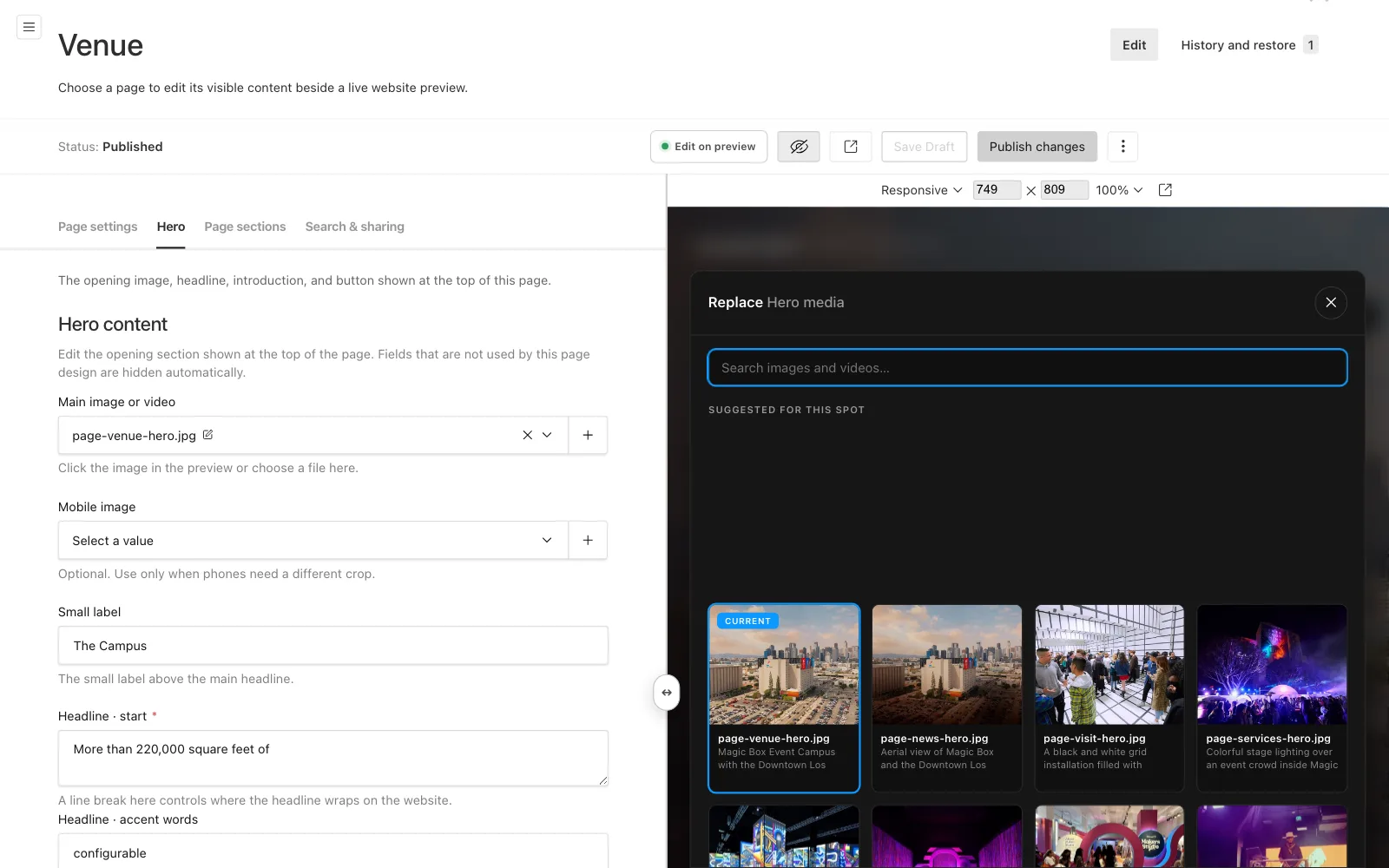
Clicking a photo in the preview opens a picker over the page. It shows the photos that suit that spot first, then the rest of the library, and one click swaps the new one in.
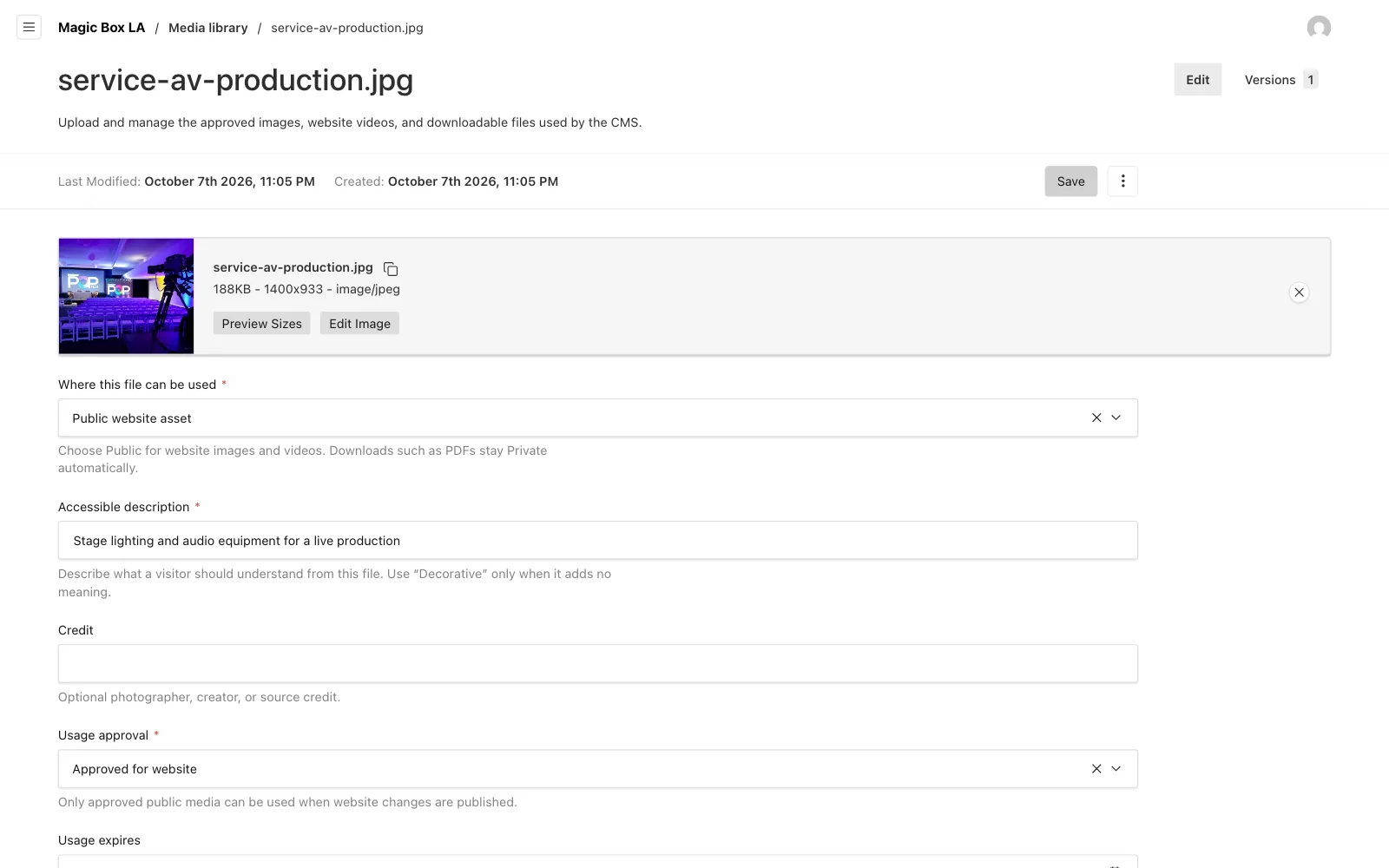
Every file in the library carries a written description for screen readers, an optional credit and an approval status. Only approved files can be published, an approval can expire, and private files like the sales decks never reach a public page. A photo still used on a published page cannot go to the trash until it is replaced there.
Drafts, publish and history
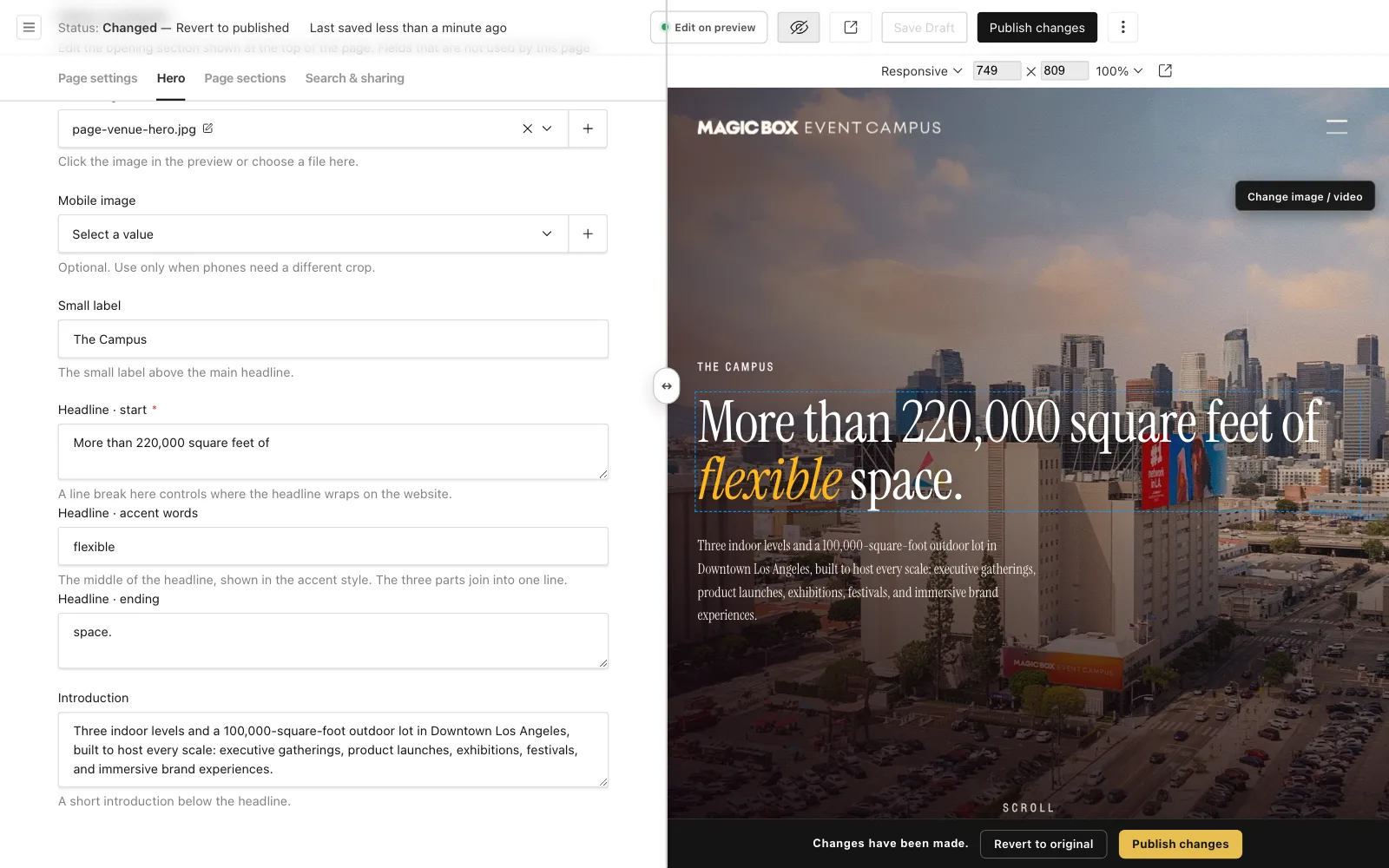
Work stays a private draft and saves itself as you go. Once something has changed, a bar along the bottom of the preview says so, with a way to put it back and a yellow button to publish. Publishing asks once more, then the change is live for every visitor.
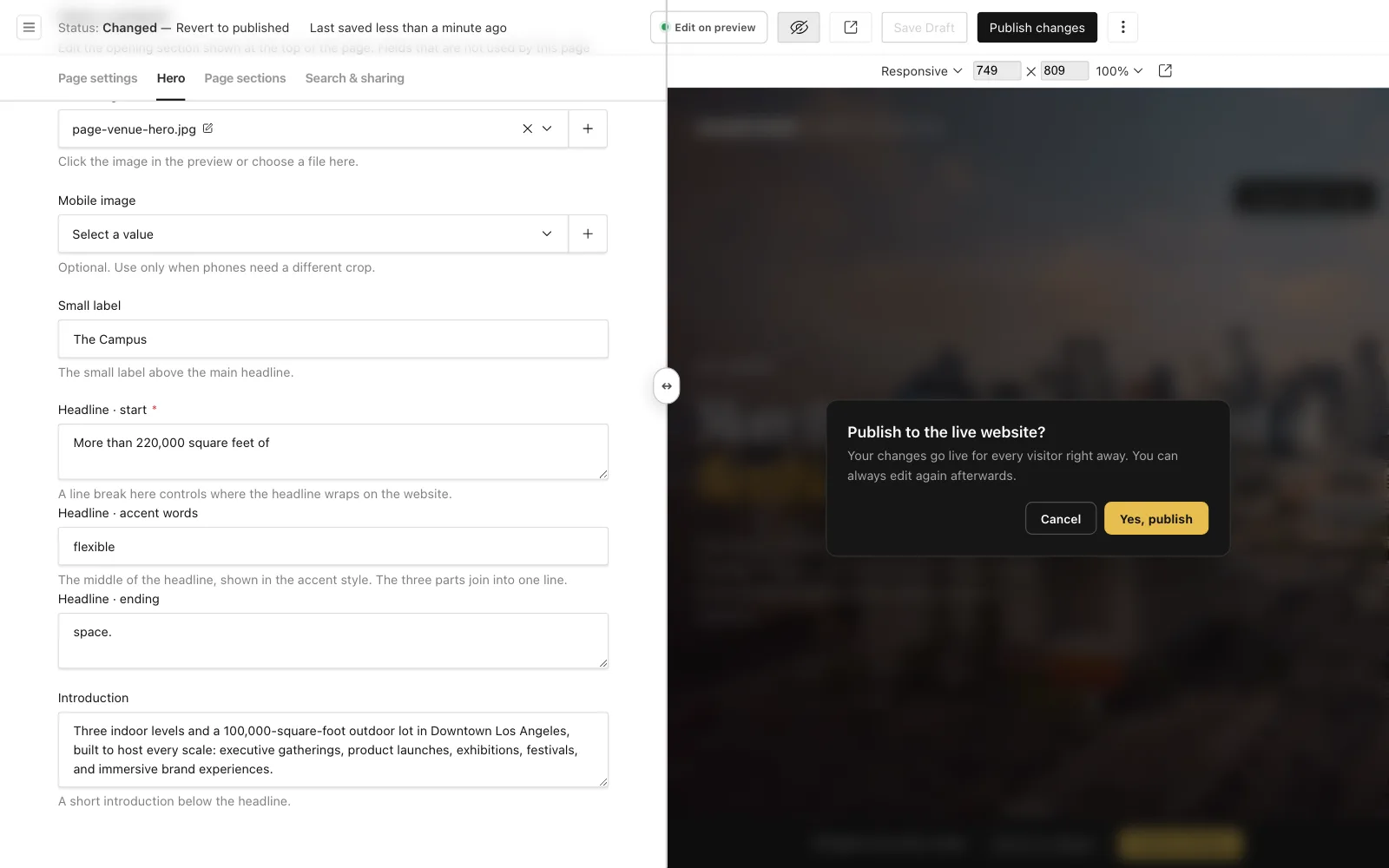
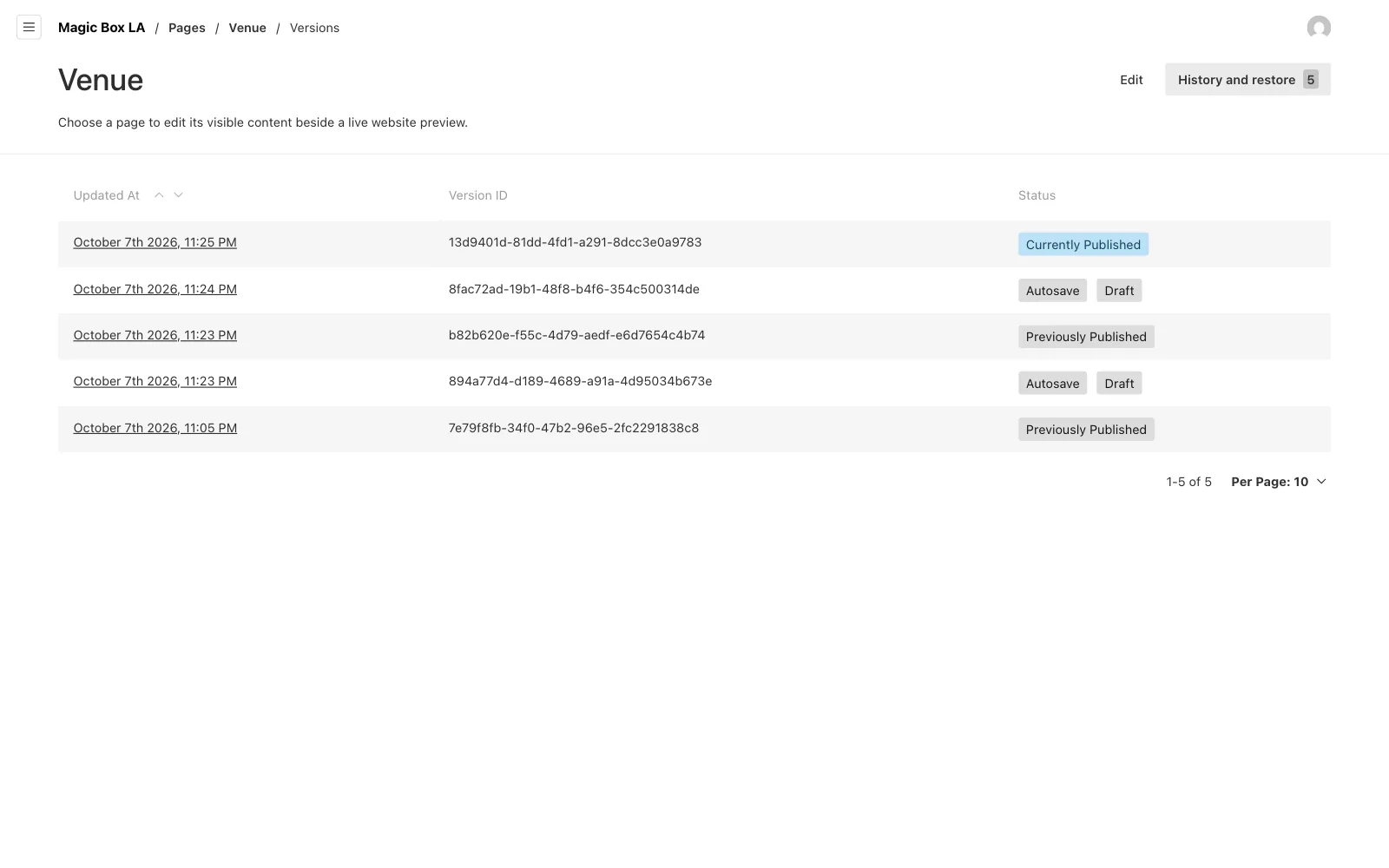
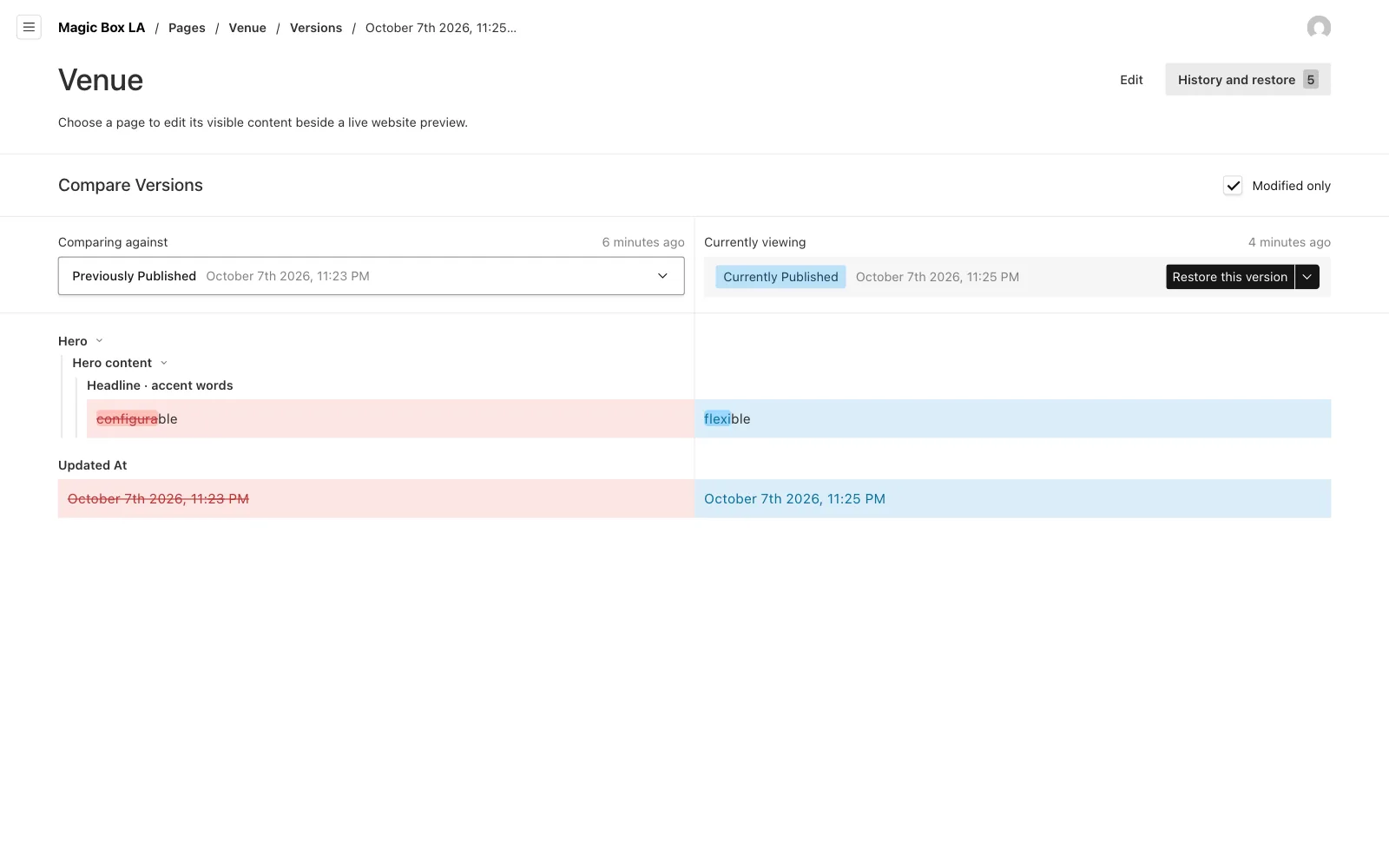
Every page keeps its last 30 versions. History and restore lists them, compares any two field by field, and brings an older one back in one click. Pages, services, spotlights and media go to a trash first instead of being deleted, so nothing disappears by accident.
Spotlights, placed where they belong
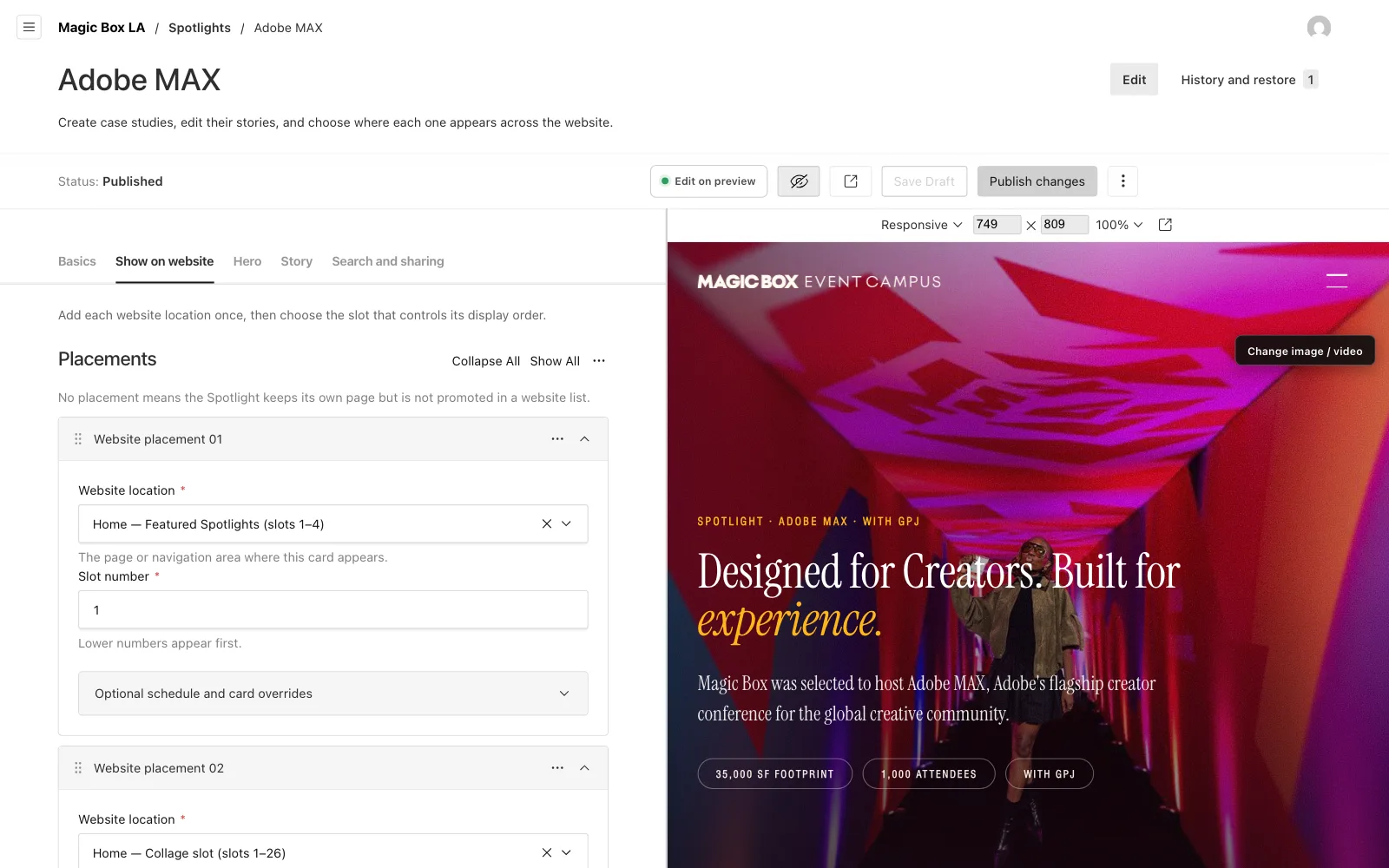
A spotlight is a full case study page, with the brief, the spaces used and a gallery. The team can write a new one and then choose exactly where its card appears, which part of which page and in what order, from one tab called Show on website.
Services work the same way. The cards on the Services page can be edited, dragged into a new order or hidden for a while.
Checks before anything goes live
Some mistakes are easier to stop than to fix. A page cannot be published without the hero its design needs, a hero video needs a still image to show while it loads, and each page only accepts the sections its design has room for. When something is missing, the editor says what in plain words.
Every lead on their own server
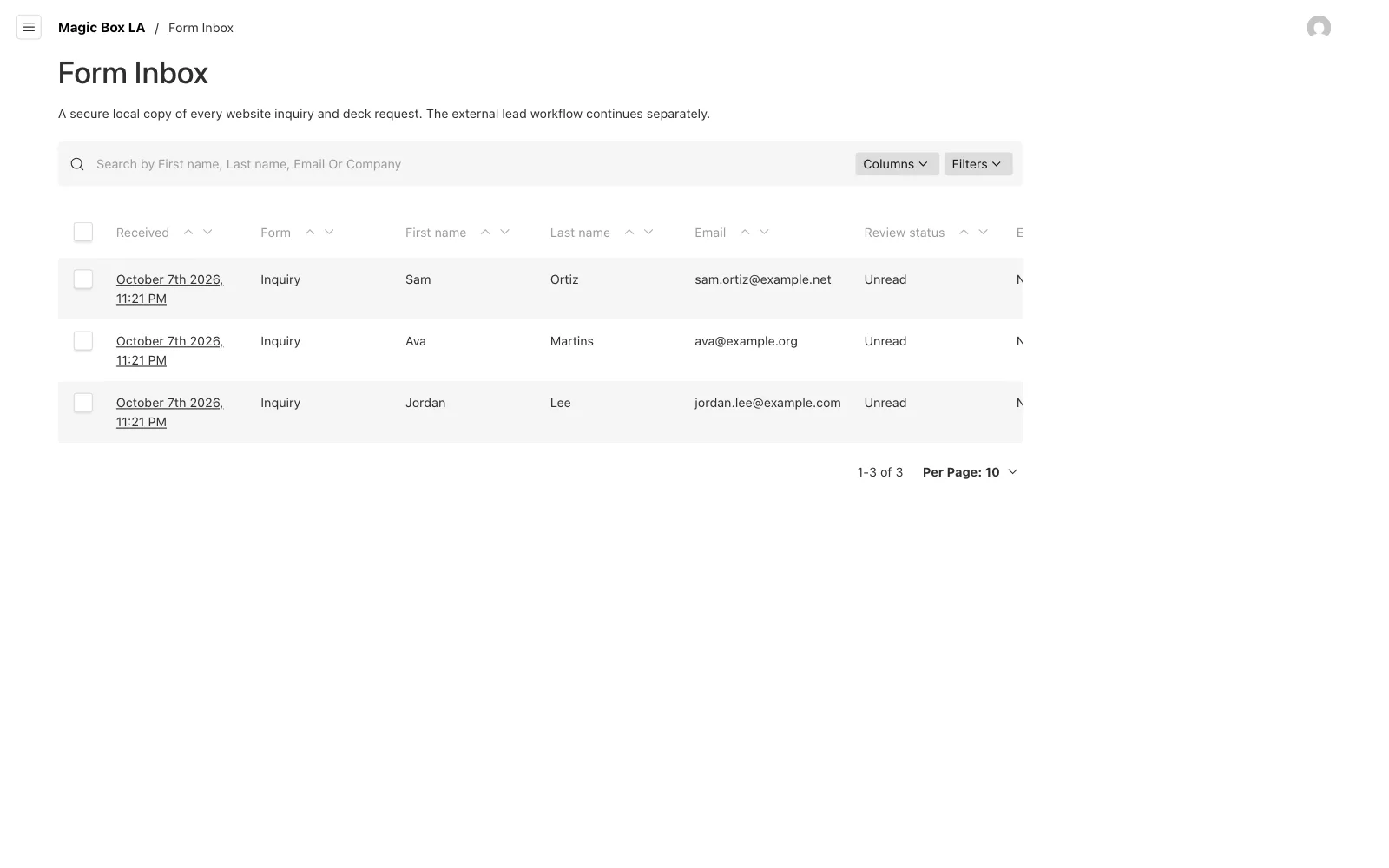
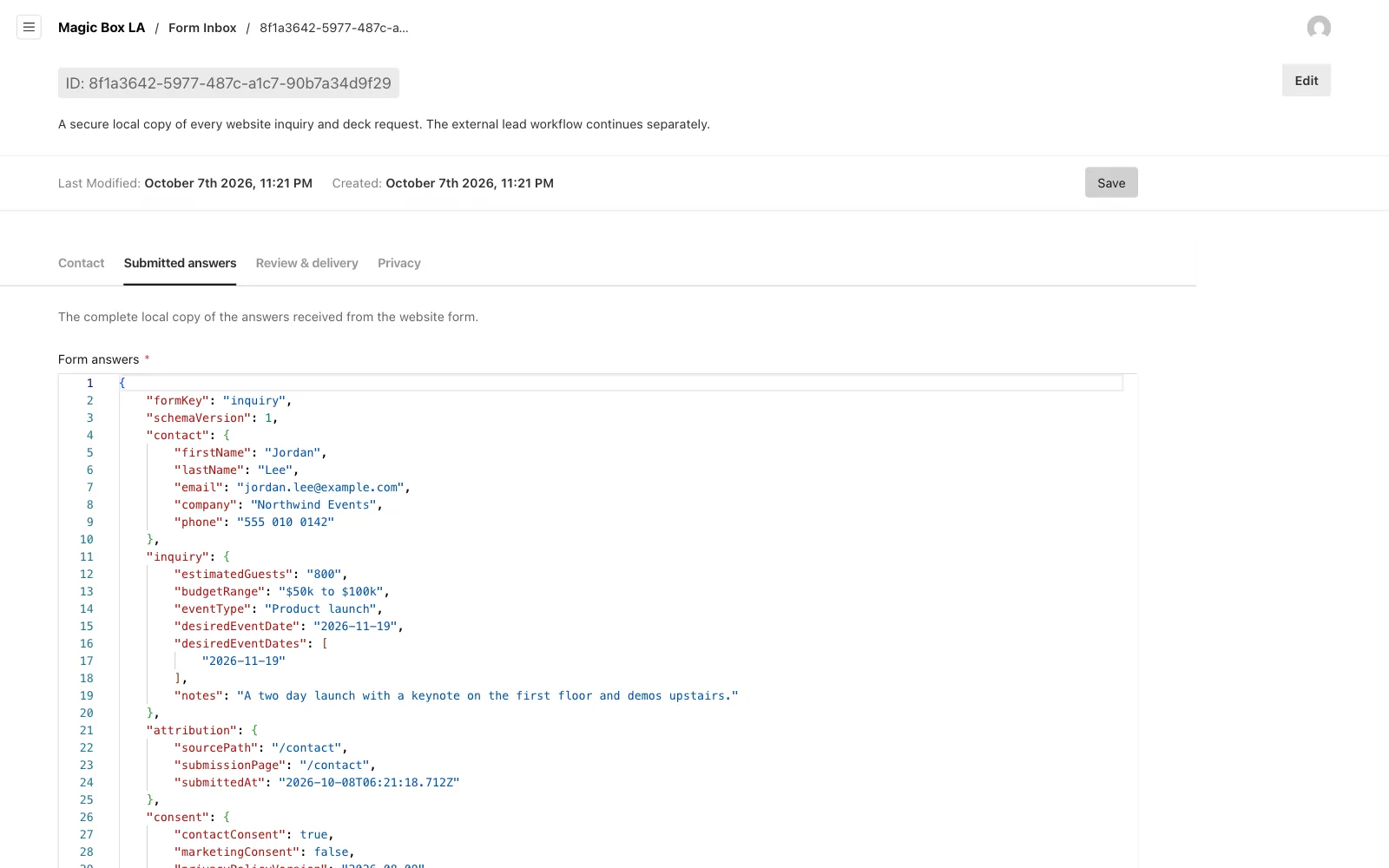
Every inquiry and deck request from the site is saved in a Form Inbox on Magic Box's own server before it goes anywhere else. The team can read the full answers, mark what they have reviewed, and see whether the CRM accepted it. If the CRM is slow or down, a worker tries again later, and a visitor who presses send twice still makes one lead.
Access is split by role. Owners run everything. Editors change the site and can publish only if an owner allows it. A submissions manager works the inbox without touching the website, and exporting or erasing a lead is a permission of its own.
Proving the site still matches
With the same page living in two places, the approved design and the editor, the two can quietly drift apart. It happened once, and three rounds of approved changes went missing from the editor's copy. So we added two checks. One copies the design into the editor and stops loudly if anything does not line up. The other renders every page and compares its visible words with the design, and a release cannot ship if they differ.
Before it went live we audited it end to end, every screen and every path an editor can take, and fixed what we found before anyone on the team touched it.
Shaped by how the team used it
The editor went live with the site on August 12. Over the next week we watched how the team actually used it and rebuilt the editing around the page itself, with typing in place, the picker and the publish bar. That version went live on August 21, and we checked that the public pages read exactly the same before and after.
Where it is now
Magic Box runs magicboxla.com from the editor, on their own server, with every change drafted, checked and kept. A new spotlight, a news post or a fresh hero photo is something the team can now do themselves.