
ShoSoftInternal tool
ShoSoft internal tool
The place the ShoSoft team runs its website from. Edit the real page, publish in seconds, undo anything, and see who reads what.
ShoSoft Internal grew out of the new website. Moving shosoft.ai off Framer meant leaving behind two things Framer had been doing for the team all along, giving them a place to edit the site and counting who visited.
So we built both. We set two rules for the editor from the start, one sign in for everyone and every edit kept. Then the blog, the analytics and the sales demos moved in behind the same door.
Now the team can click any headline on the live design and change it, publish in about fifteen seconds, roll back any page to any earlier save, and read how visitors move through the site without handing the data to anyone else.
- 1
- sign in for every tool
- 15s
- from Publish to live
- 200
- versions kept per page
- 0
- IP addresses stored
took a look at the internal tool and it’s great
What we built
- One sign in for the editor, blog, analytics and demos
- A visual editor that works on the real page
- Section tools with the site's layout rules built in
- Save, publish and a full edit history with restore
- A form editor for everything else, the blog included
- First party analytics that wait for consent
- Channels and campaigns read from every ad click
- Team visits labelled and kept out of the numbers
- A Demos page for sales outreach
What it had to do
The new site is built from content files, so it needed a way in that the team would actually use. It had to feel like editing the page, keep every change safe, and never let an edit break the site.
One sign in
Everything lives at internal.shosoft.ai behind one sign in. Pick your name, type the team password, and the editor, blog, analytics and demos are all open. Each person gets their own editor account on their first visit, so every change carries their name. Signing out locks the editor too.
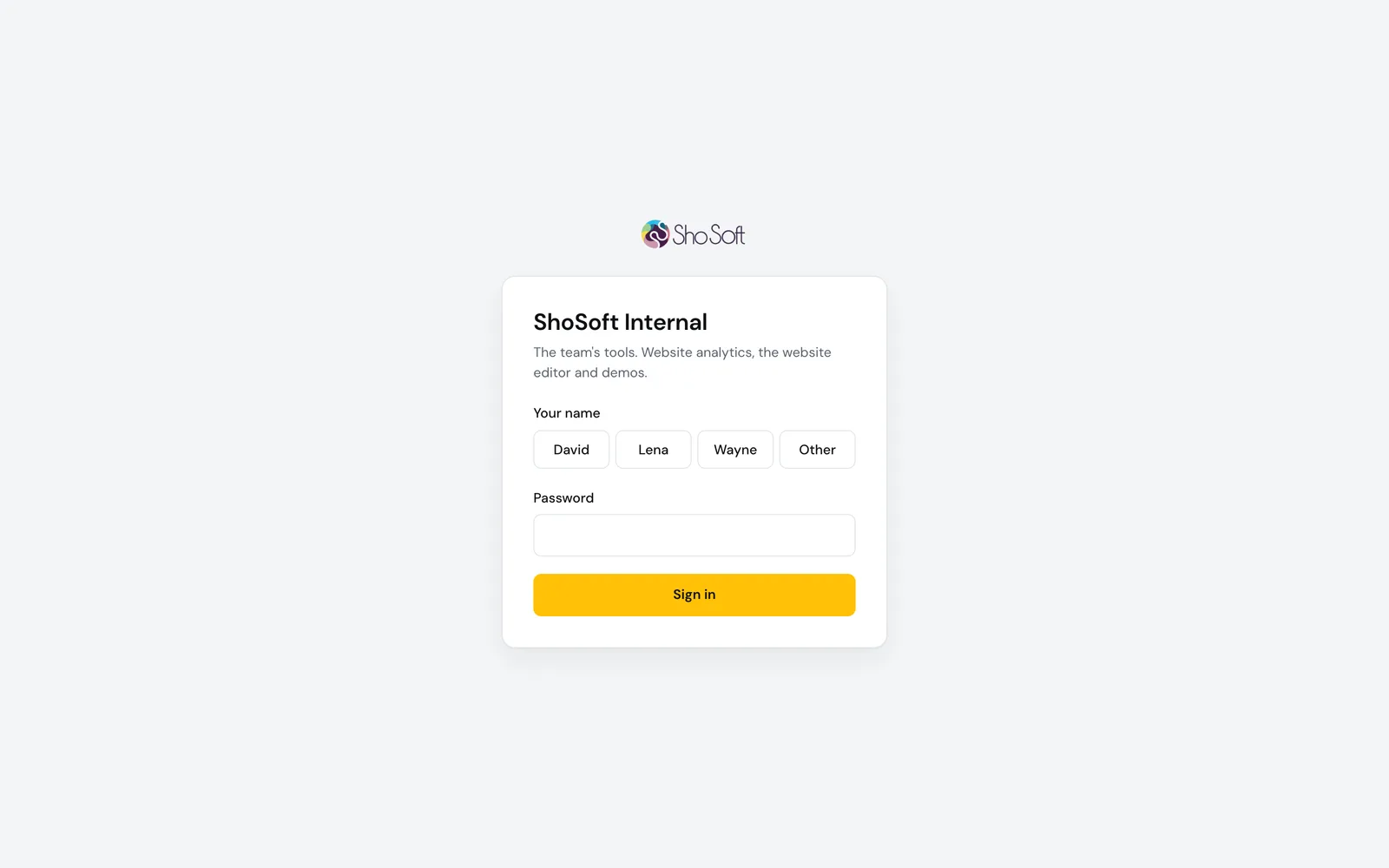
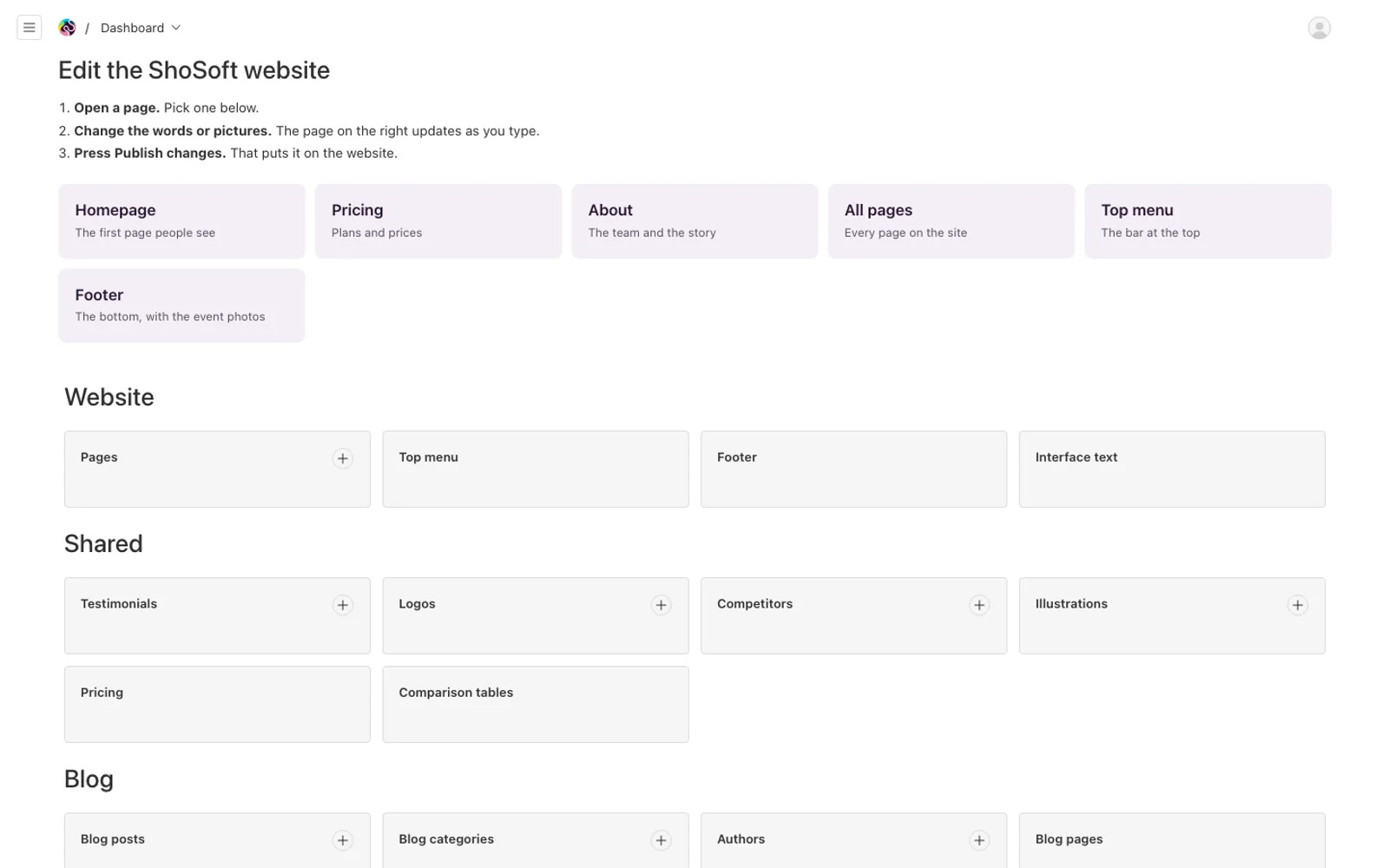
The editor itself listens only on the server and trusts a name only when it comes through the sign in, so there is no second password and no way around the front door.
Edit the real page
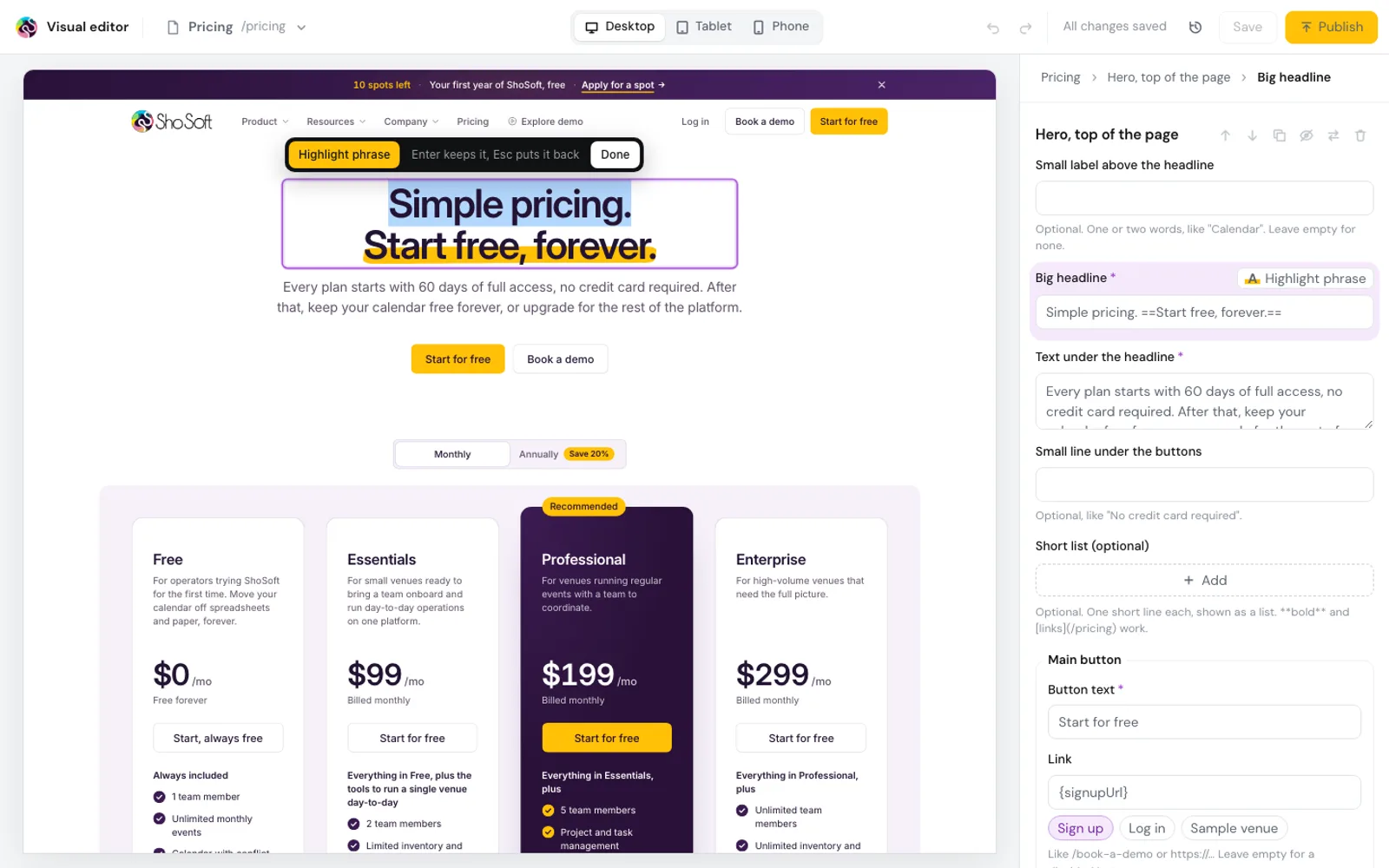
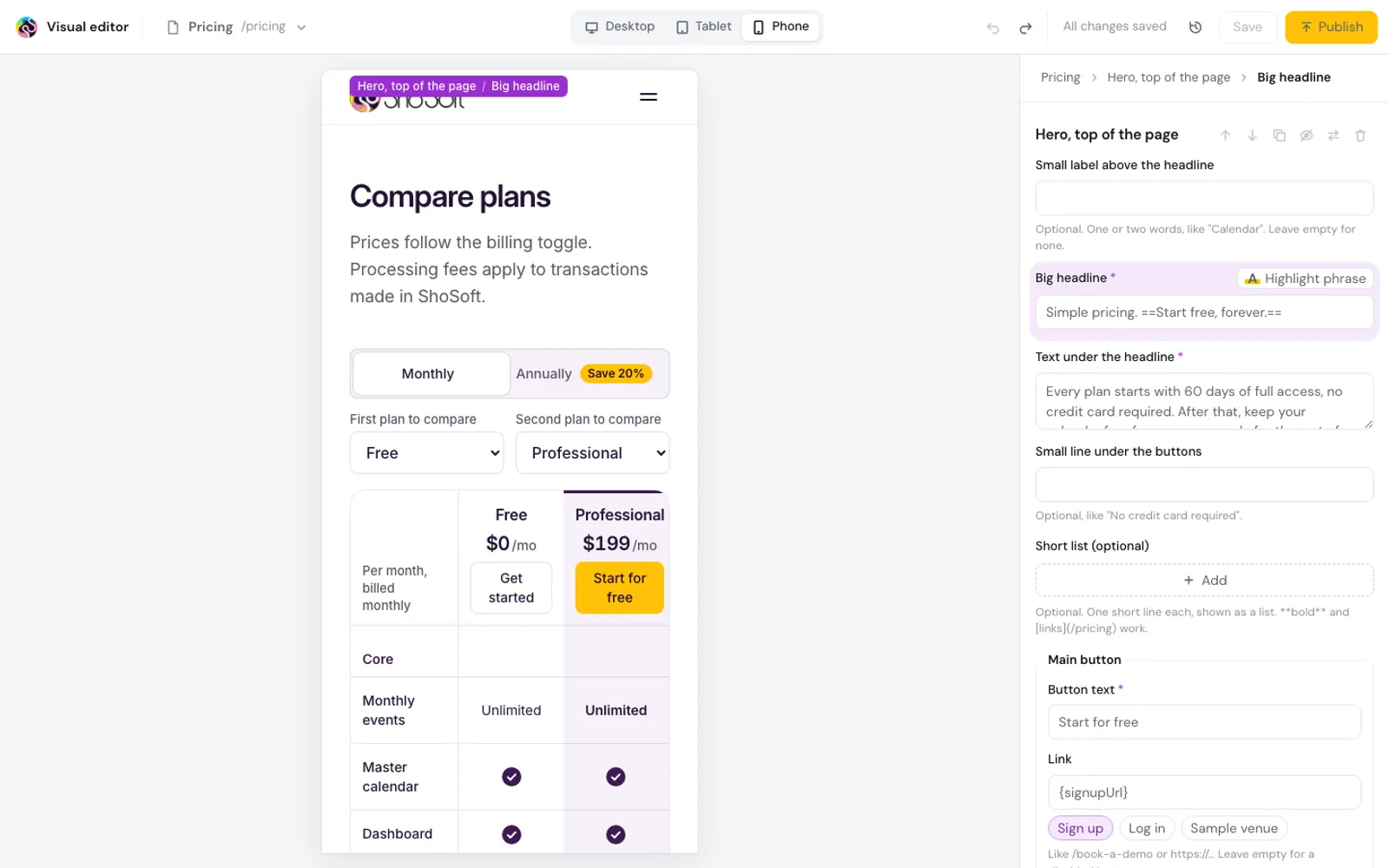
The visual editor shows the real site, drawn by the site's own components and styles. Move the pointer and each section, headline, picture and button is outlined, with a label saying what it is. Click to select it, and its full form opens on the right.
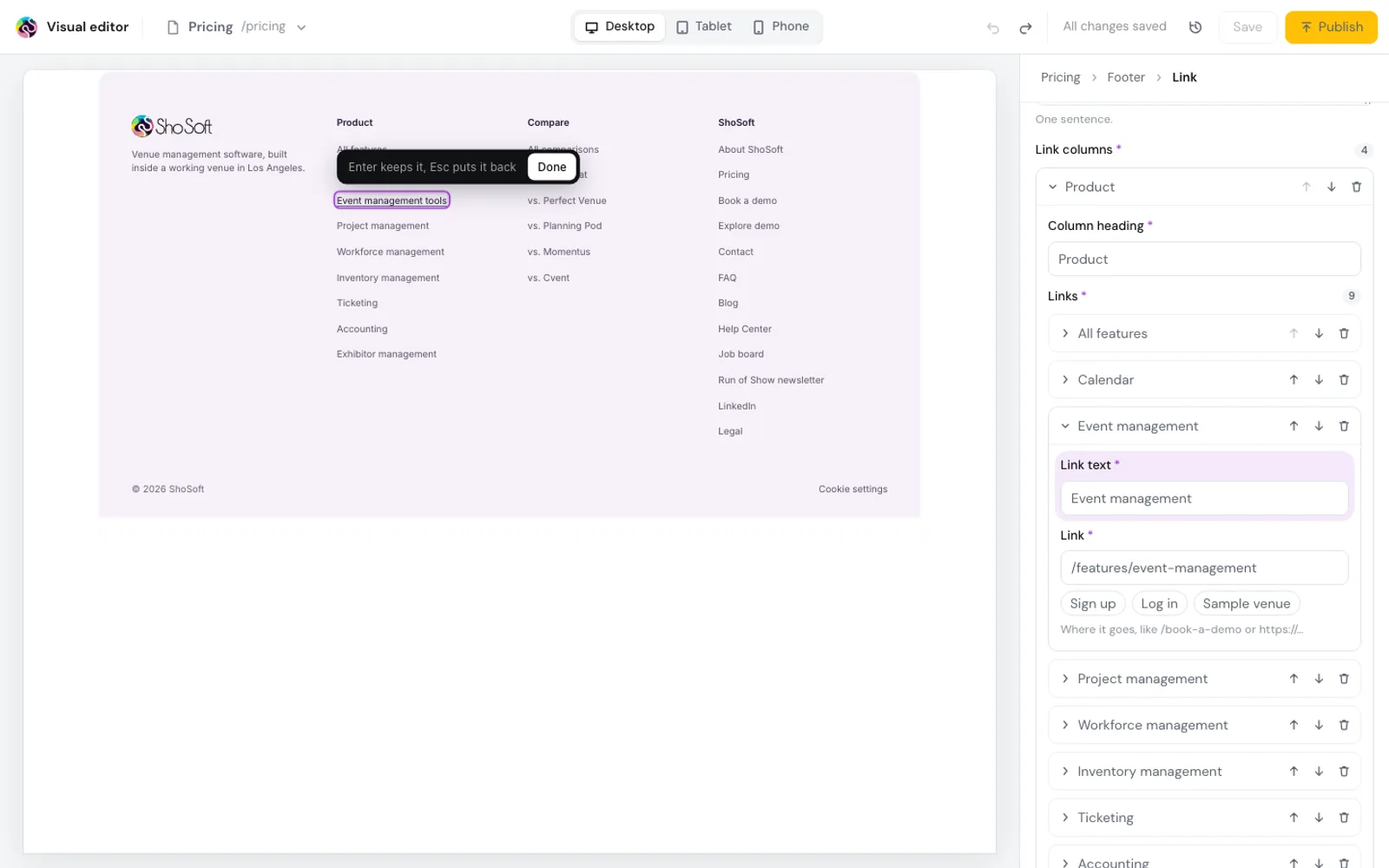
Double click words to type over them, and select a phrase to put the marigold marker on it. Click a picture to swap it from the library or upload a new one with its description. Click a button to change its words and where it goes. Sign up, Log in and the sample venue fill in the site's own addresses, so they stay right even if the app moves.
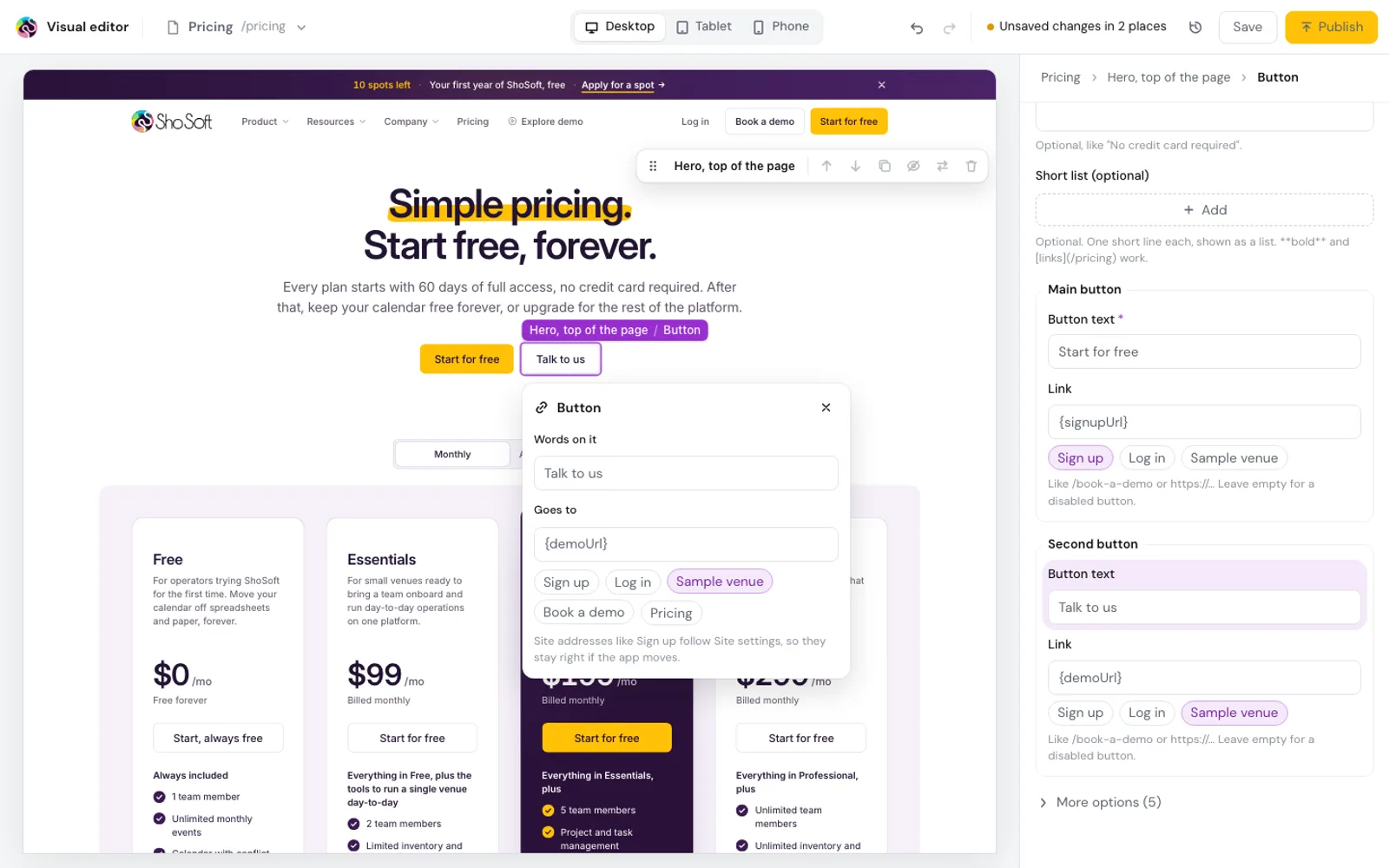
If an edit breaks one of the site's writing rules, a long dash for example, a note appears under the words before anyone saves.
Sections, with the rules built in
A selected section has a small toolbar. Drag it or nudge it up and down, duplicate it, hide it from the site while keeping it in the editor, swap it for another kind of section, or delete it. Point between two sections to add a new one from a gallery that shows every kind with a picture.
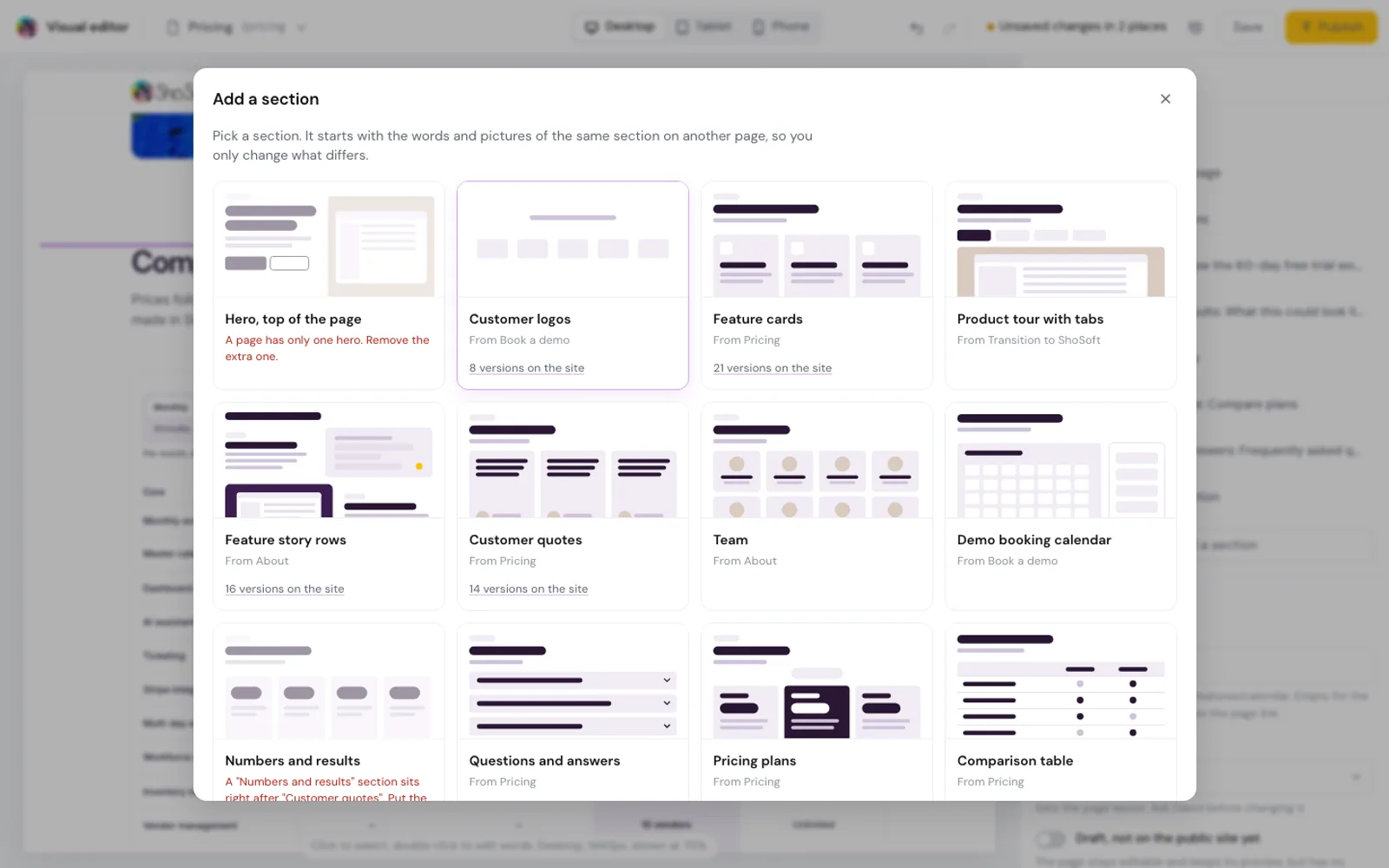
A new section starts as a copy of the same kind from another page, so you only change what differs. Every page keeps its hero first and its closing call to action last, and feature and comparison pages keep their set order. A button that would break that is greyed out and says why.
Save, publish, and nothing lost
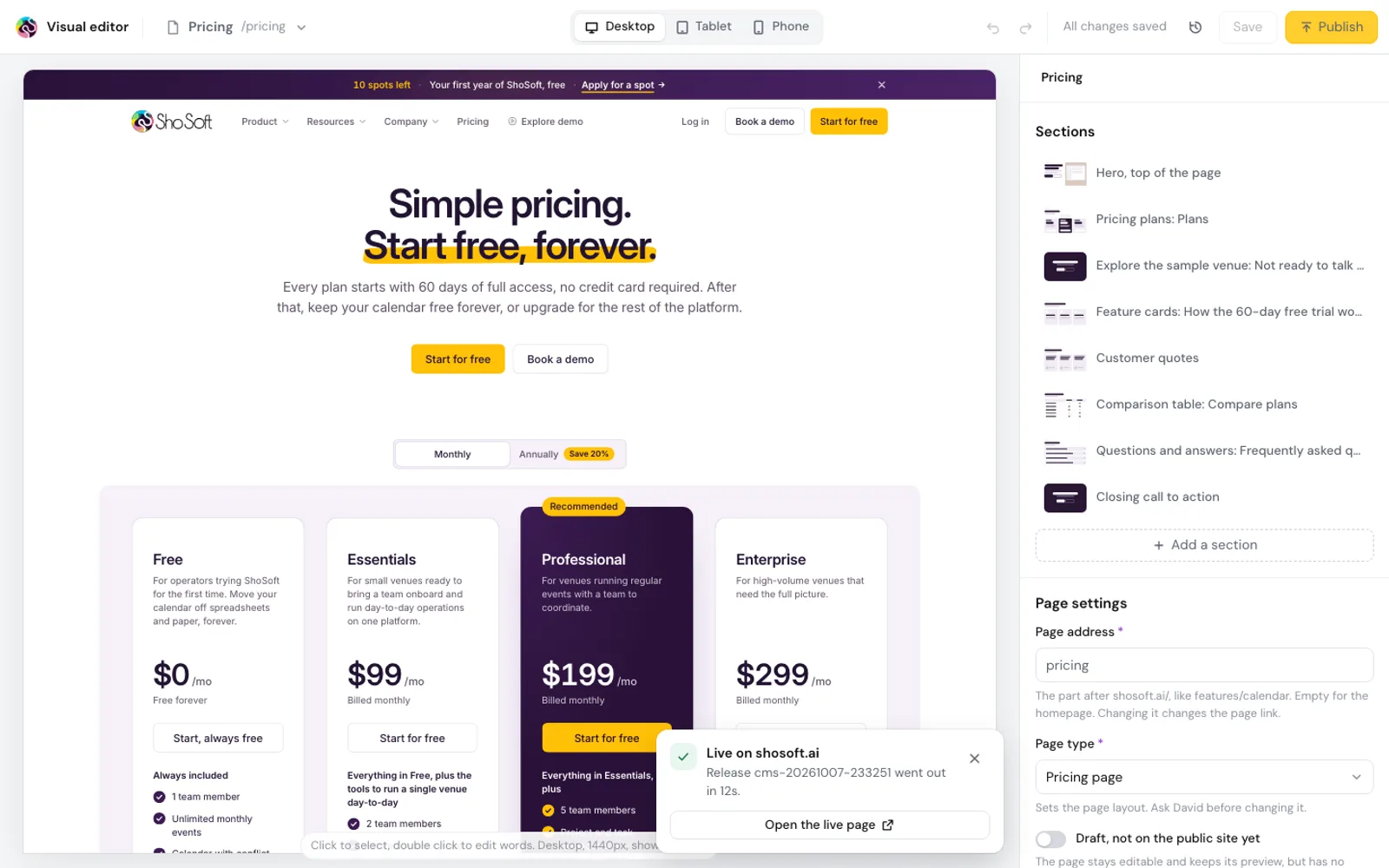
Save keeps the change under your name without touching shosoft.ai. Publish runs the site's checks, builds and releases, then says when the page is live with a link to it. If a check stops it, the card says why and the site stays as it was.
Every save is a version, with who made it and when. Up to 200 are kept for each page, post, menu and setting. Open any of them to see what changed, then restore it. A restore is a new version itself, so it can be undone too. On the first day we saved a starting version of every document, 1,235 of them, so even the very first edit can be rolled back.
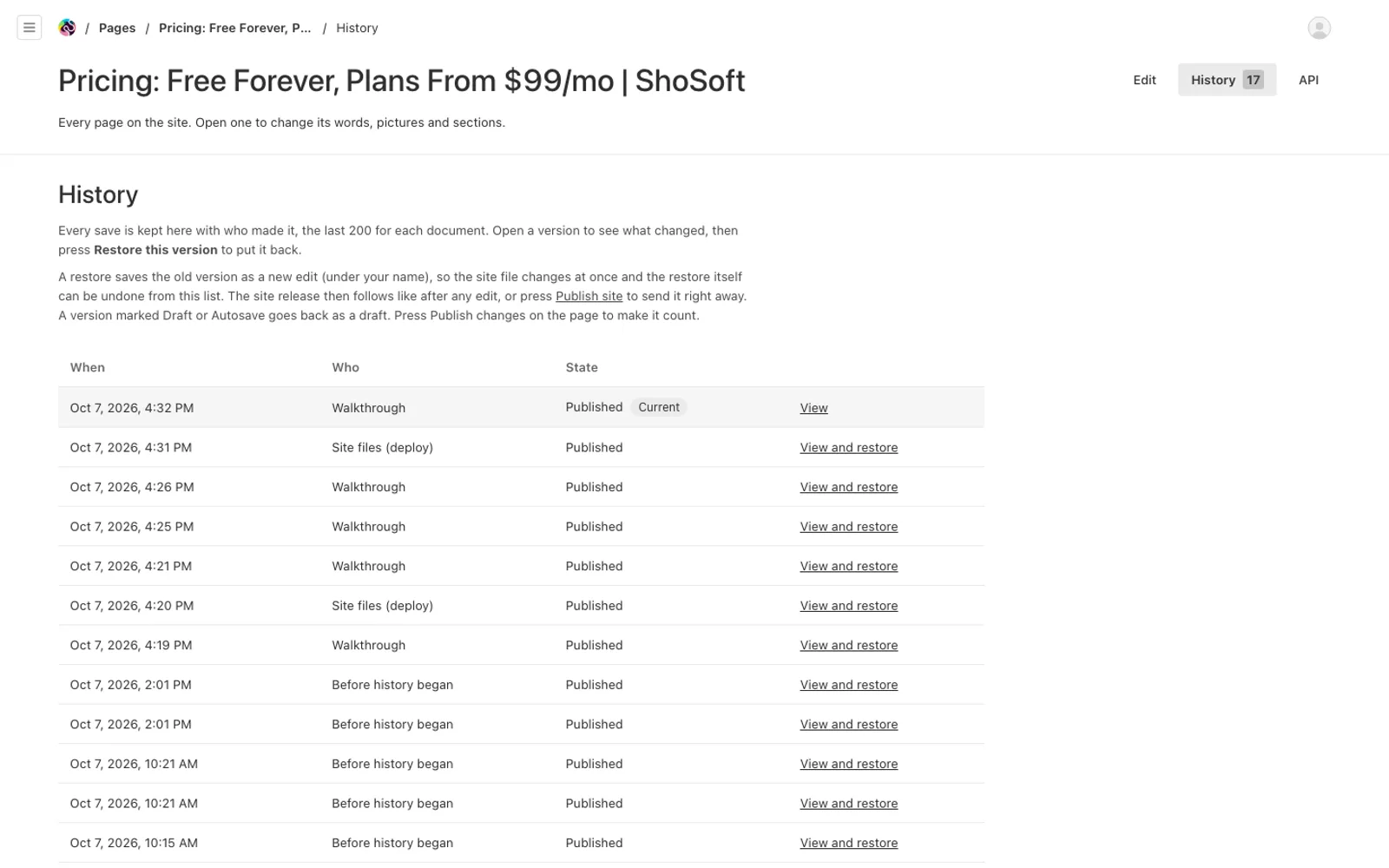
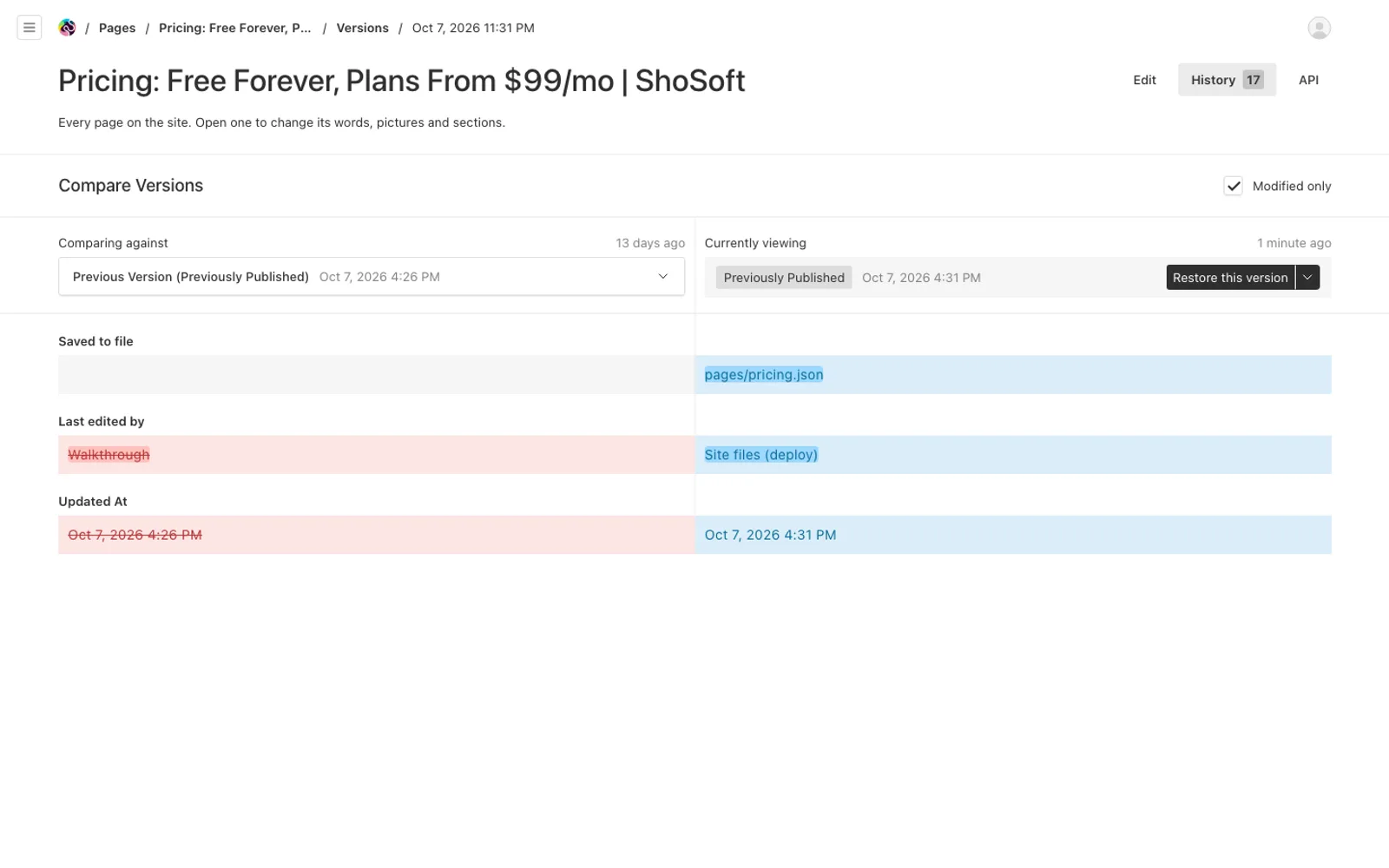
Behind that sit whole site backups before every publish, every code deploy and every daily jobs refresh, plus one each night.
Performance, invisible to visitors
The editor is a separate build, and none of it ships to visitors. We built the site from the same content with and without it, and all 326 pages and files came out the same. The public scripts grew by 283 bytes. After the walkthrough was saved, published and rolled back on the live site, all 127 public pages matched the snapshot taken before.
The blog and everything else
Blog posts, categories and authors have their own section of the sidebar. The form editor covers the rest, the menu and footer, interface text, testimonials, logos, competitors and pricing, with each shared item edited once and used everywhere. Every page, post and help article has an Edit on page button that jumps straight into the visual editor.
Views and analytics
Framer Analytics is replaced by first party analytics. A small script on shosoft.ai sends visits to a collector on ShoSoft's own server, and nothing goes to anyone else. It loads only after a visitor allows analytics, honours Do Not Track and Global Privacy Control, and ignores bots and automated browsers. No IP address or raw browser string is stored.
It is light, too. The part that is always in the page is about 0.6 KB compressed, and the other 3.7 KB only loads once a visitor says yes.
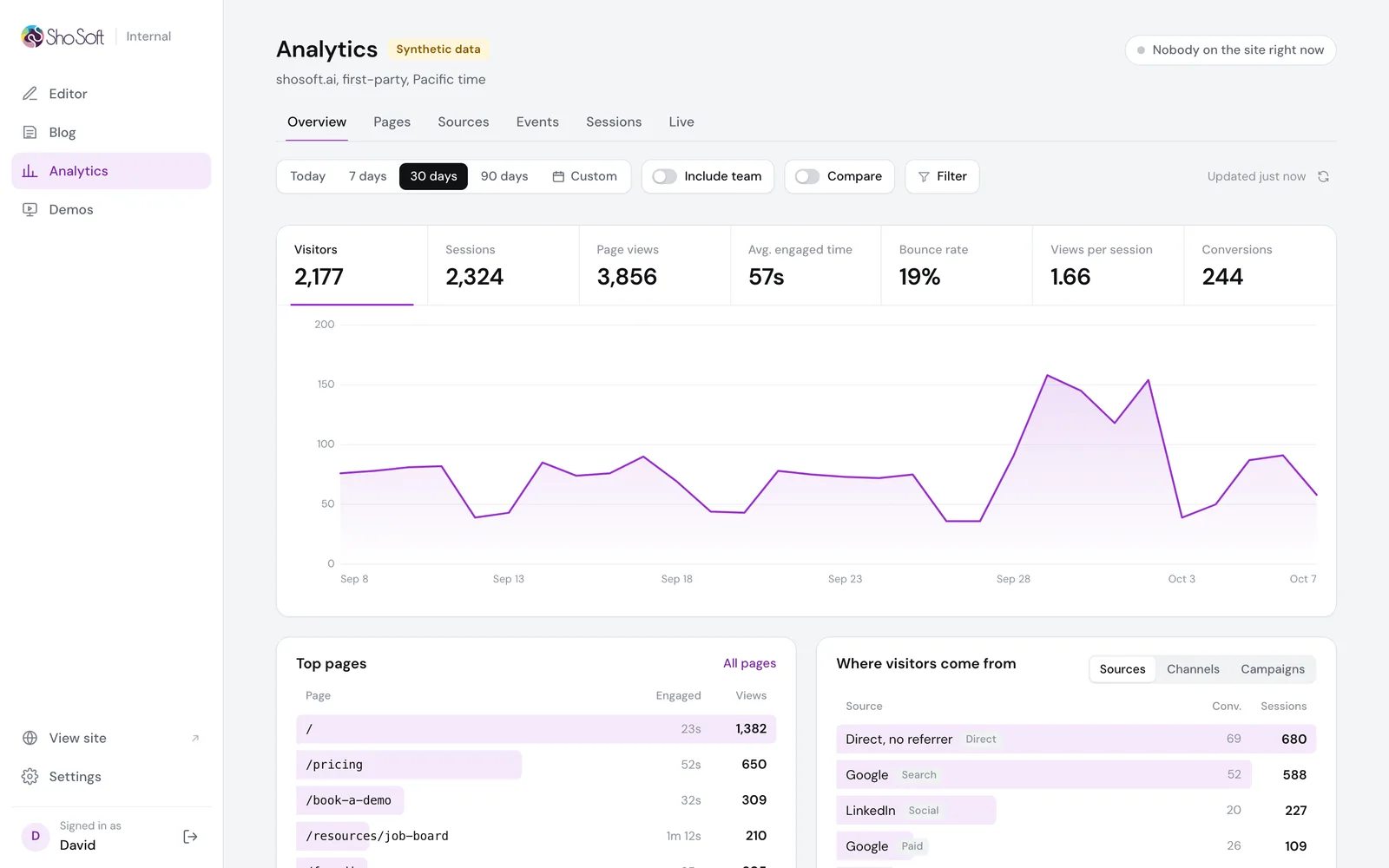
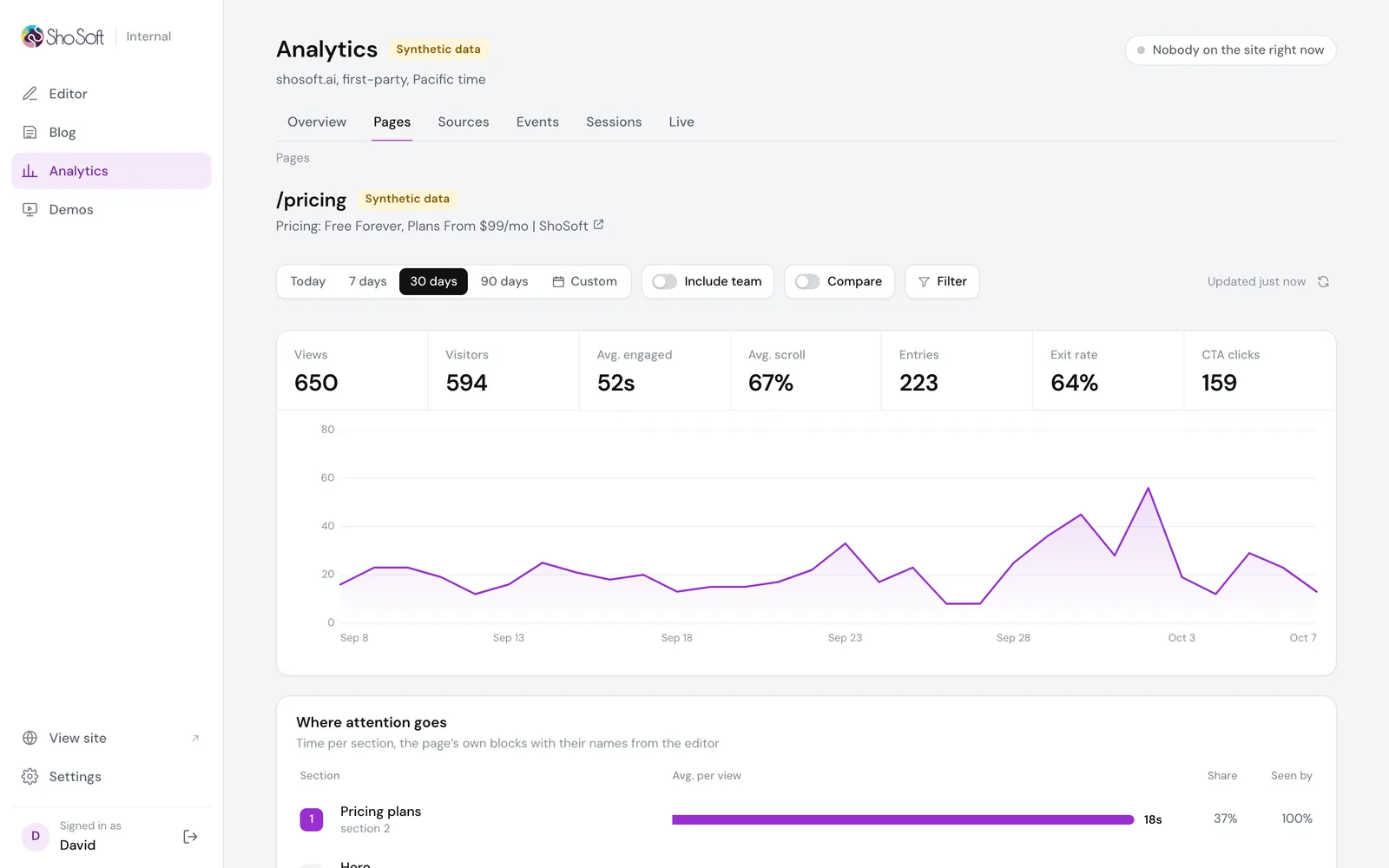
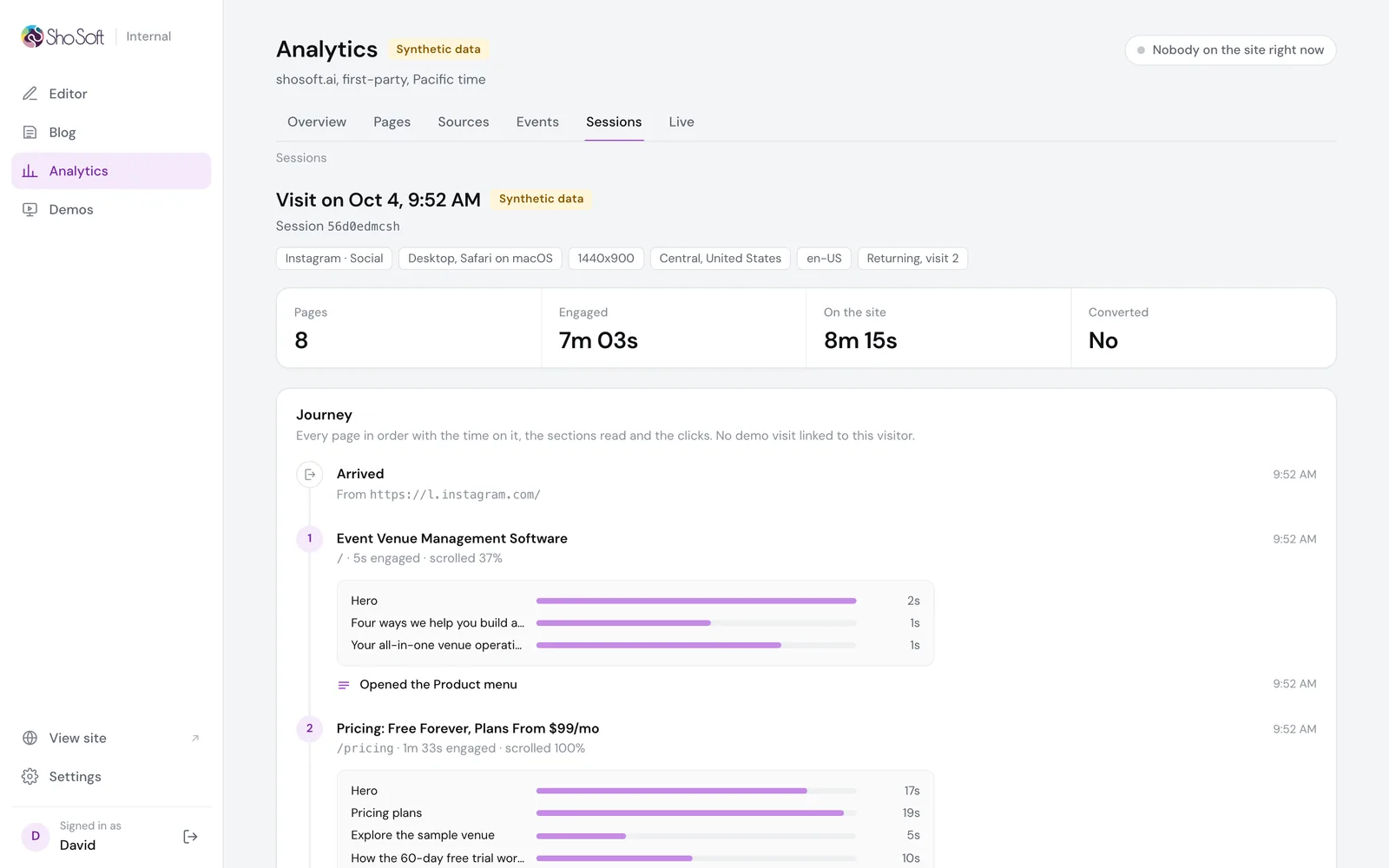
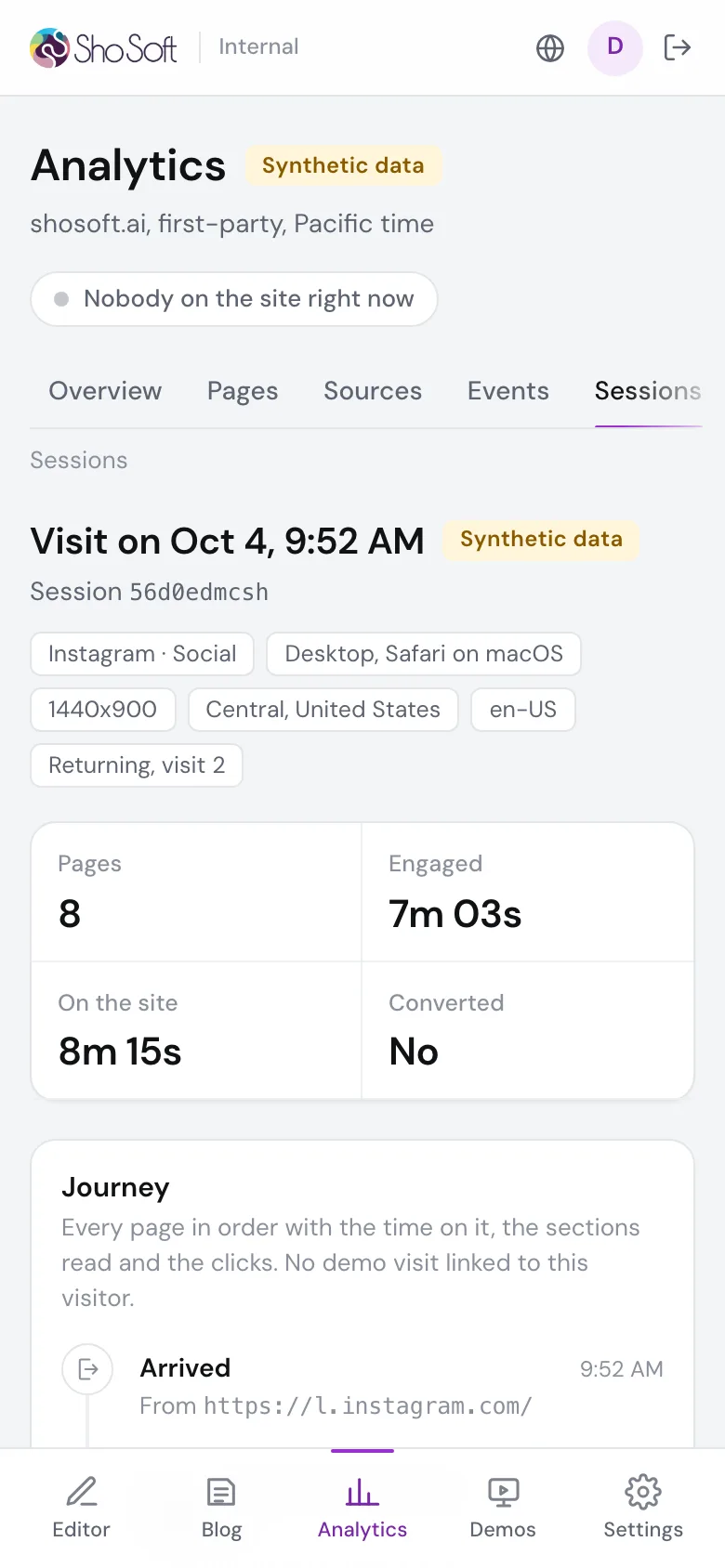
The team sees visitors, sources, campaigns and events, and each step from a first visit to a signup click or a booked demo. Every page shows where attention goes section by section, named by the section headings from the editor, and every visit opens as a journey, page by page, with the sections read and the buttons clicked.
Ads and campaigns
Each visit gets one of eleven channels, worked out from its first page. Paid and organic search, paid and organic social, display, email, AI assistants, referrals, the referral program, partners and direct, each with the company behind it.
When a visit comes from an ad, the collector reads the click id the ad platform adds to the link, from Google, Microsoft, Meta, LinkedIn, TikTok, X or Reddit, along with every campaign tag. The Campaigns tab breaks visits down by platform, campaign, ad group and keyword, and shows the credit by first touch, by last touch that was not direct, and across every touch along the way.
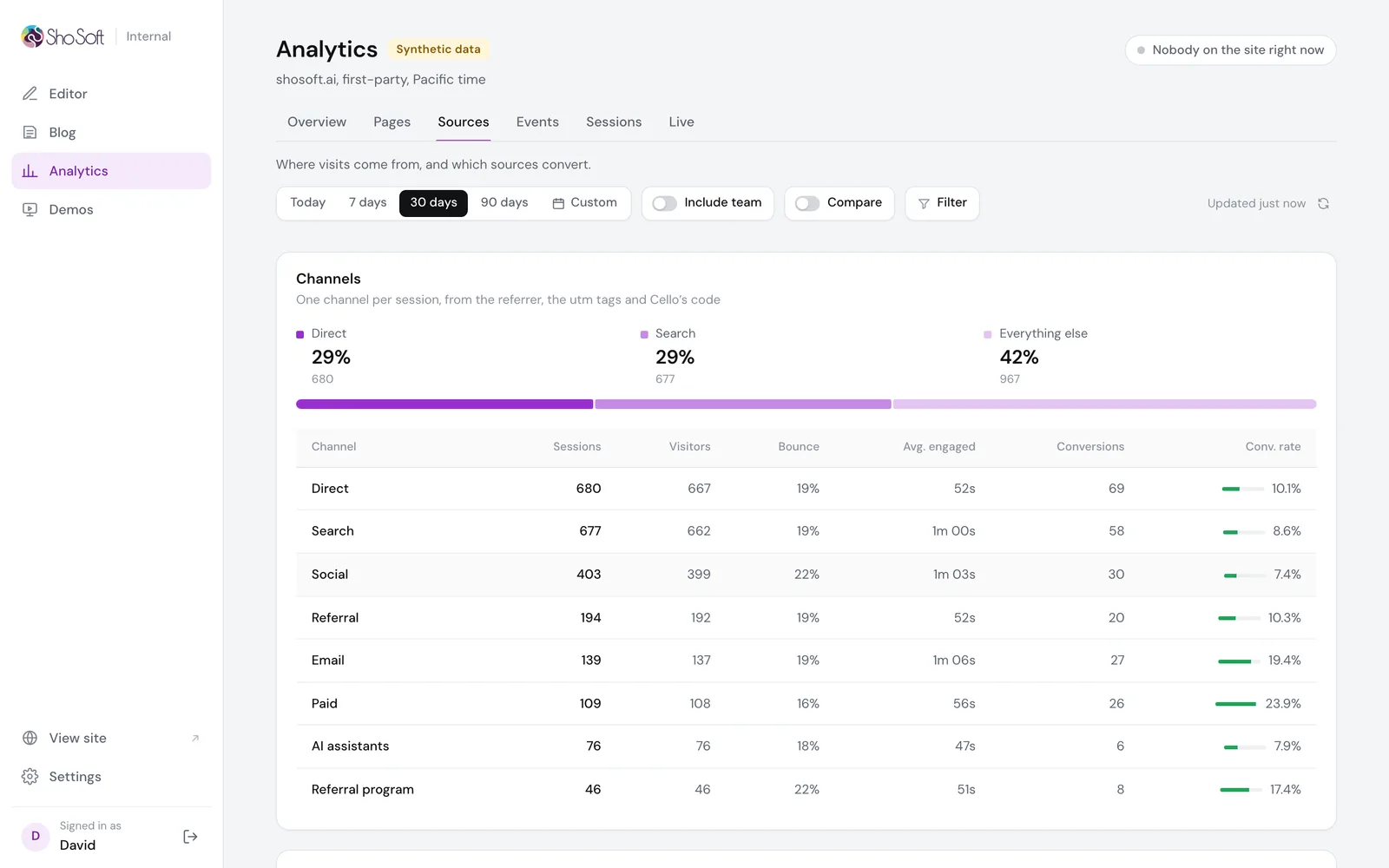
The views refresh in place every 30 seconds, and Live every 5, without losing the scroll or an open filter. On a test copy with 60,309 sessions, the seven day overview answers in 75 milliseconds.
The team, labelled
Signing in to ShoSoft Internal marks that browser as team. Team visits are still recorded, after the same cookie choice as anyone else, but labelled with the person's name and left out of every number until someone turns on Include team. That way the team can test the site all day without bending the numbers.
Demos for sales
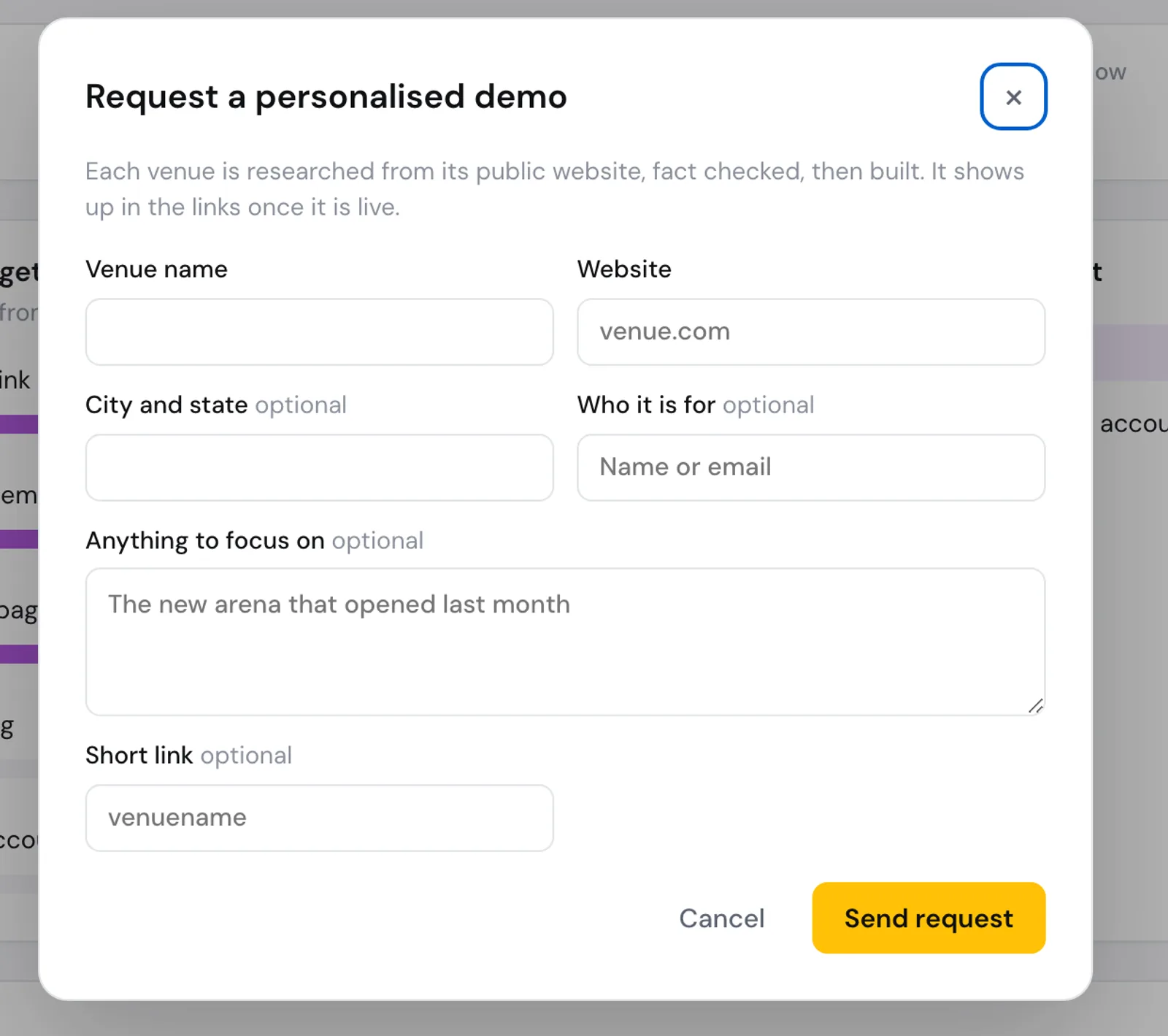
ShoSoft's sales outreach sends each venue its own demo. The Demos page shows how far people get with them, from opening the link to wanting an account, what they do most, and every link with who it went to. New venues are requested from a short form, then researched, fact checked and built.
On a phone
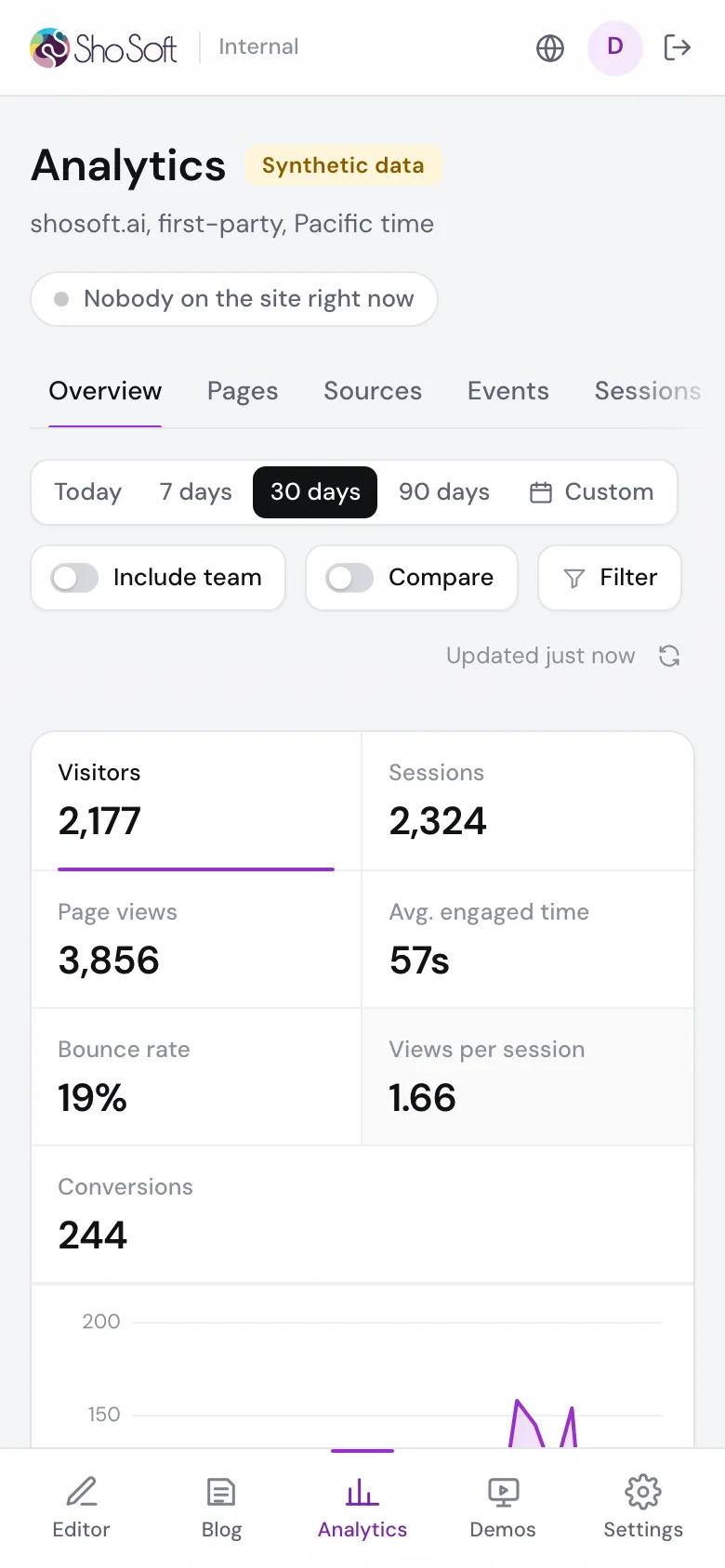
The sidebar folds into an icon rail on smaller screens and a tab bar on phones, so the numbers can be checked from anywhere.
What is next
The pieces for tying a visit to a person are built and switched off. They only ever use details people type in themselves, and they stay off until ShoSoft approves the privacy wording. Connections to the Google Ads and LinkedIn Ads reports are next, so spend can sit beside the visits it bought.